Child Location Tracking: No Phone, No Monthly Fee, Check COPPA
Compare family apps with GPS trackers that work without a child's phone or monthly fee, and check location accuracy, data handling, and COPPA privacy rules.
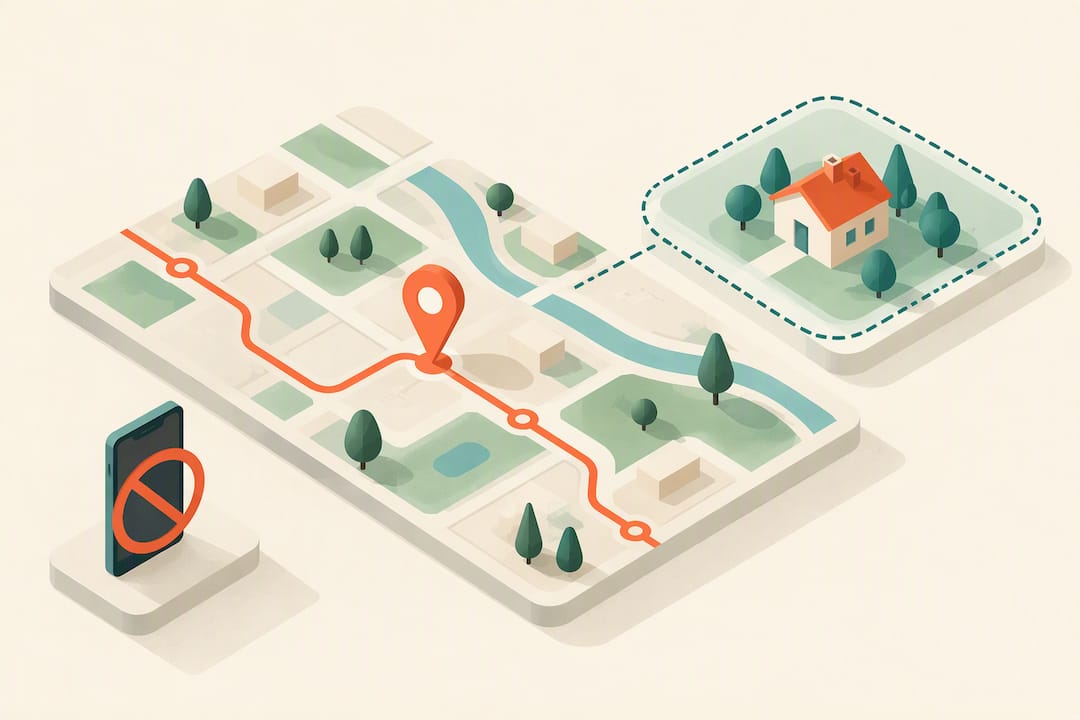
Child Location Tracking: No Phone, No Monthly Fee, Check COPPA
If your child has a phone, a parental control or family tracking app is usually the fastest way to see their live location. If they don’t, a dedicated GPS tracker gives you real-time location without a phone or a monthly fee. Either way, set up permissions correctly and check how the vendor handles your child’s data before you rely on it.
TL;DR:
- Built in tools cost nothing extra but lock families into one ecosystem; subscription apps add geofencing and caregiver dashboards for recurring fees.
- GPS gives the clearest outdoor position, while wireless networks and cell signals fill indoor gaps; battery saving modes can delay updates by several minutes.
- For services collecting location data from children under 13, COPPA requires verifiable parental consent; check for a no sale policy and history deletion controls.
- Before relying on any tracker, test its position at home, continuity during a short drive, and whether geofence alerts arrive as expected.
- Most systems visibly indicate location sharing, so explain tracking to your child and widen geofence boundaries as responsibility grows over time.
Kinwatchdog
Track Your Child Without Monthly Fees
Kin One is a GPS tracking device that shows kids, pets, and parents on one map, without ongoing subscription fees.
Table of Contents
- Which tracking option fits your family right now?
- How does location tracking actually work?
- Weighing apps against hardware for everyday use
- How do you choose between an app and a dedicated tracker?
- Setting up tracking, step by step
- What privacy and legal rules apply to tracking kids?
- Where Kin One fits for hardware-first families
- Balancing reassurance with your child’s independence
- Get a GPS tracker that works without monthly fees
- FAQ
- Sources
Which tracking option fits your family right now?
Three practical paths cover almost every family’s situation, and picking the right one depends mostly on whether your child carries a phone.
- Built-in OS features (like Family Sharing or Google’s family tools) work well for phone-owning kids and cost nothing extra, but they tie you to one device ecosystem.
- Third-party family apps often add geofencing, driving reports, and multi-child dashboards, usually through a monthly or annual subscription.
- Dedicated GPS hardware suits younger kids without phones, or any parent who wants location tracking without installing an app on a child’s device.
Accuracy, battery life, and whether your child can see that they’re being tracked all shift depending on which path you pick. Subscription apps tend to update more frequently but drain battery faster; hardware trackers trade some update speed for simpler setup and no ongoing bill. Decide which approach matches your child’s age and phone situation first, then jump to the setup steps that apply to you.
How does location tracking actually work?
Location tracking relies on three signal types working together: GPS satellites for outdoor accuracy, Wi-Fi network positioning for indoor estimates, and cell-tower triangulation as a fallback when neither is available. GPS alone is generally the most precise outdoors, while Wi-Fi and cell signals fill gaps inside buildings or in dense urban areas where satellite signals bounce.
Indoor environments and battery-saving modes are the two biggest reasons a location update looks stale. A phone or tracker set to conserve battery may only refresh its position every few minutes instead of continuously, and thick walls or underground spaces can block GPS entirely.
This is one reason dedicated hardware can be more dependable for younger kids: a tracker built for one job, with one battery to manage, tends to produce fewer dropped updates than a shared smartphone running dozens of background apps.
Weighing apps against hardware for everyday use
The right choice depends less on brand and more on how your family actually uses the information day to day.
- Update frequency: some situations call for near-constant tracking (a school pickup mix-up), while others only need a daily check-in.
- Visibility to your child: a shared family map builds trust, while hidden tracking can backfire if discovered later.
- Cost structure: subscriptions add up over several years, while a one-time hardware purchase has a fixed cost from day one.
- Form factor and access: a clip-on or wearable tracker suits small children better than a phone, and you should know exactly how many caregivers can view the location feed.
- Data handling: look for a clear statement that your child’s location history is not sold or shared with brokers.
Pro Tip: Before committing to a solution, ask the vendor directly whether location data is ever shared with third parties for advertising, and get the answer in writing.
How do you choose between an app and a dedicated tracker?
Work through this checklist before you buy anything, app or hardware:
- Does your child carry a phone daily? If not, a dedicated tracker removes the dependency entirely.
- What’s the child’s age and need for independence? Younger children usually need SOS buttons and simple geofencing; teens may need less visible monitoring and two-way messaging instead.
- Does the vendor state its privacy practices clearly? Confirm COPPA compliance, verifiable parental consent, and a no-sell data policy before signing up, especially since FTC enforcement actions against location data brokers show how sensitive this information can be once it leaves your control.
- How many caregivers can be added, and what alerts does each get? Confirm whether grandparents or co-parents can be included without extra cost.
- Run three tests before you trust the system: check accuracy at a fixed point like home, track continuity during a short drive, and confirm a geofence alert actually arrives when your child leaves or enters a zone.
If you’re deciding between a GPS tracker and a kids’ smartwatch, the same checklist applies: battery life and alert reliability matter more than extra features you’ll rarely use.
Pro Tip: Run your three accuracy tests overnight too, since battery optimization settings on many phones silently pause background location updates while charging.
Setting up tracking, step by step
For app-based tracking:
- Install the app on both the parent and child device, creating linked accounts.
- Grant precise-location permissions and disable battery optimization for the app.
- Send a test location request and confirm it updates within a few minutes.
For built-in OS location sharing:
- Enable family location sharing in your phone’s family settings.
- Confirm your child’s device shows that location sharing is active, since most systems display this visibly rather than hiding it.
For a dedicated hardware tracker:
- Charge and activate the device, then pair it with the companion app.
- Attach it securely to your child’s bag or clothing and test the SOS button and a geofence alert.
If updates stop arriving, check for revoked permissions, an app killed by the operating system, or a poor GPS fix indoors before assuming the device has failed. For families going the hardware route entirely, our guide to tracking a child without a phone walks through the full setup in more detail.
What privacy and legal rules apply to tracking kids?
Services that knowingly collect geolocation data from children under 13 must obtain verifiable parental consent under COPPA, and regulators have taken enforcement action against operators that failed to provide adequate notice, according to FTC case documents on children’s data collection. In January 2024, the FTC ordered a data broker to stop selling sensitive location data tied to places like health clinics and religious institutions, a reminder that raw location data can reveal far more than a simple map pin once it’s resold, according to the FTC’s order against X-Mode.
Before trusting any vendor, read the privacy policy for a clear no-sell statement, confirm you can delete stored history, and check what happens to the data if you cancel. Our overview of U.S. tracker privacy risks covers the practical checks in more depth.
Where Kin One fits for hardware-first families
Kin One is a GPS tracker designed to be purchased once, with lifetime data and no ongoing subscription fees included. It allows tracking of family members and pets on a shared map, offering real-time updates, arrival and departure alerts, and multiple emergency contacts.
It suits families seeking hardware that functions independently of a child’s phone and that does not include audio or camera monitoring features. For parents favoring a dedicated tracker instead of subscription apps, this device focuses on a one-time payment model without ongoing fees.
Balancing reassurance with your child’s independence
Tracking works best when your child knows about it. Explain the rules plainly, and let the conversation evolve with age.
One practical trade: offer looser check-in rules or wider geofence boundaries as your child demonstrates responsibility, turning the tracker into a tool for earned freedom rather than constant surveillance.
— Louis
Get a GPS tracker that works without monthly fees
If a dedicated hardware tracker matches what your family needs, Kin One covers the basics parents actually ask for: no subscription, a shared map for the whole family, and privacy controls that skip audio and camera features entirely.
A few next steps if you’re ready to move forward:
- See Kin One’s product details and what’s included at launch.
- Read what to check before buying a tracker with no monthly fee.
- Browse GPS trackers for kids to compare form factors and features.
FAQ
Can a child see their parents’ location on Family Link?
Family Link is designed around parental supervision of a child’s account, and visibility is generally one-directional from parent to child rather than the reverse. Specific settings vary by account type, so check your family group’s current configuration directly in the app.
Is Life360 or Bark better for tracking my child?
The better fit depends on what you need: location-focused apps emphasize geofencing and driving reports, while content-monitoring apps focus more on messages and app activity. Define your priority first (location versus content oversight) before comparing specific apps.
How do I locate parental controls on my child’s phone?
Parental controls are typically found in the phone’s settings under family or screen-time sections, depending on the operating system. Look for a family-sharing or digital-wellbeing menu, where location sharing and app restrictions are usually grouped together.
How can I track my child’s phone location without them knowing?
Most platforms display an indicator when location sharing is active, so fully hidden tracking is uncommon and raises its own trust issues. Expert guidance from ConnectSafely recommends treating tracking as a conversation with your child rather than something concealed from them.
What’s the best way to track a child who doesn’t have a phone?
A dedicated GPS tracker, like a wearable clip-on device, solves this directly since it doesn’t depend on a smartphone at all. Our guide to GPS trackers for kids without a phone covers setup and what features matter most for younger children.
Sources
- FTC press release: FTC order prohibits data broker X-Mode, SocialOutlogic from selling sensitive location data
- Stipulated Order (Apitor) — FTC case documents on children’s data collection and consent
- ConnectSafely: What parents should know about Apple’s child-safety features