U.S. GPS Tracker Privacy: Warrants, FTC Risks, and Simple Checks
U.S. GPS tracker privacy explained: what the Supreme Court and FTC actions mean, how to spot hidden trackers, and safer family options.
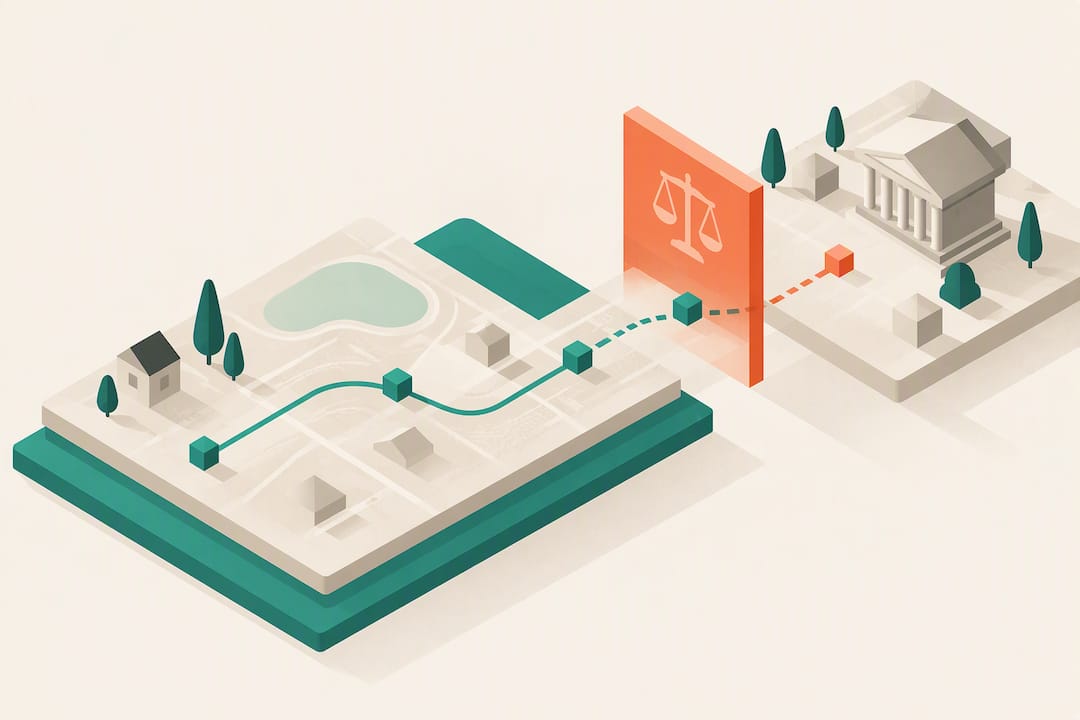
U.S. GPS Tracker Privacy: Warrants, FTC Risks, and Simple Checks
Unauthorized GPS tracking can expose your daily movements, routines, and relationships to someone who has no right to them, and that risk demands two immediate steps: put your safety first by avoiding direct confrontation with anyone who may be tracking you, then check your vehicle, belongings, and phone for signs of an unknown tracker. The legal protections, detection methods, and ways to lock down your data are covered below.
TL;DR:
- Physical GPS trackers are small, battery-powered devices placed in discreet locations on vehicles, belongings, or inside the phone, requiring thorough physical inspection to detect.
- Location data, especially persistent timestamped movement profiles, can reveal sensitive personal activities like medical visits, routines, or social contacts, increasing privacy risks.
- Private use of GPS trackers varies by state law; at least 26 states and D.C. regulate placement without consent, with law enforcement needing a warrant per Supreme Court rulings.
- Most exposure actually comes from background app location permissions and data broker sales, which can be minimized through careful digital hygiene and privacy settings adjustments.
- Encryption and anonymization provide limited protection once location data reaches servers; structural controls like limiting collection scope are more effective for privacy.
Kinwatchdog
Keep Family Location Tracking Simple
Kin One helps families monitor kids, pets, and parents on one map, with real-time updates and no ongoing monthly fees.
Table of Contents
- How GPS and location technologies create a trail of your movements
- The real-world risks behind location data collection
- The U.S. legal baseline: what Jones, Carpenter, and state laws mean for you
- How to find a hidden GPS tracker on your car, belongings, or phone
- Locking down your phone and cutting off data brokers
- What a privacy-focused family tracker looks like in practice
- How other countries handle GPS tracker privacy differently
- Can encryption actually protect your location data?
- Where your location data actually goes after it is collected
- Consent is the line that separates safety from surveillance
- Kin One: a privacy-minded device option
- Where to go for the original rulings and guidance
- Sources
- FAQ
How GPS and location technologies create a trail of your movements
Several overlapping technologies track your location, and each leaves a different kind of trace. A hardware GPS tracker is a standalone device, often magnetic or hardwired, that calculates position using satellite signals and transmits it over a cellular or Bluetooth connection. Your phone’s built-in GPS does the same thing but adds a second layer: cell-site location information (CSLI), the record your carrier keeps of which towers your phone connects to as you move. Bluetooth beacons add a third layer, pinging nearby devices at close range to confirm presence in a specific store, building, or even a particular aisle.
None of these systems operate in isolation. A fitness app on your phone might use GPS for route tracking, then pass that data to a software development kit (SDK) embedded in the app for analytics or advertising. That SDK often feeds a data broker, who combines it with location signals from dozens of other apps to build a persistent profile tied to your device’s advertising identifier. Location signals from phones, vehicles, and other devices are routinely combined across sources into movement profiles that outlast the original reason the data was collected.
What makes this chain especially revealing is the timestamp. A single location point tells someone little. A string of timestamped points, recorded every few minutes over weeks, tells a much fuller story:
- Where you sleep, work, and worship, inferred from repeated overnight or weekly visits
- Who you spend time with, based on overlapping location patterns with another tracked device
- Routines a stranger could exploit, like when your house is reliably empty
- Sensitive visits, including medical clinics, shelters, or legal offices, that reveal more than any single data point should
The real-world risks behind location data collection
Location data gets treated as a low-stakes convenience, but regulators and researchers treat it as some of the most sensitive personal information a device can generate. The risk is not abstract: a timestamped location feed, combined with a persistent device identifier, is often enough to re-identify a specific person even when a company claims the data is anonymized.
The Federal Trade Commission has brought enforcement actions against data brokers for selling sensitive location data tied to identifiable visits. The FTC took action against Mobilewalla in December 2024 for collecting and selling location data that could reveal visits to places like medical facilities and places of worship, a move the agency framed as a warning that this category of data demands heightened protection.
The harms this type of exposure creates include:
- Stalking and harassment, where a former partner or acquaintance uses location history to predict where you will be
- Doxxing, where home or work addresses inferred from movement patterns are published publicly
- Discrimination or exposure, when visits to a clinic, shelter, or support group become known to an employer, insurer, or family member
- Physical safety risks, when real-time location data falls into the wrong hands through a breach or an unsecured app
That last risk is not hypothetical. Security reporting documented a breach in a popular iOS GPS-tracker app in 2025 that exposed the real-time locations and personal details of 320,000 users, a reminder that the app collecting your location is itself a target.
The U.S. legal baseline: what Jones, Carpenter, and state laws mean for you
Two Supreme Court cases set the floor for how law enforcement can use GPS and location data against you, and they point in the same direction: the government generally needs a warrant.
United States v. Jones (2012) held that law enforcement must get a warrant before physically attaching a GPS tracking device to someone’s vehicle, treating the act of attaching the device as a search under the Fourth Amendment. Six years later, Carpenter v. United States (2018) extended that warrant requirement to historical cell-site location information, ruling that the government generally cannot obtain weeks of CSLI revealing a person’s movements without judicial authorization.
Those rulings govern the government. What applies to a private individual, like an ex-partner, a roommate, or a suspicious employer, who places a tracker on your car or phone is a matter of state law, and the rules vary. At least 26 states and the District of Columbia have statutes addressing private use of location-tracking devices, with categories that typically cover:
- Placing a tracker on a vehicle or in a bag without the owner’s knowledge or consent
- Exceptions for parents tracking minor children or employers tracking company-owned vehicles
- Exceptions for law enforcement acting under a warrant or another legal process
- Civil remedies, criminal penalties, or both, depending on the state
If you find a tracker you did not authorize, do not remove or destroy it before documenting it. Photograph it in place, note the date and location, and contact local law enforcement or a family law attorney before deciding next steps, since the device itself may be evidence in a stalking or custody case.
How to find a hidden GPS tracker on your car, belongings, or phone
A physical tracker is usually small, battery-powered, and placed somewhere it will not be casually noticed. Work through a sweep in this order:
- Check your vehicle’s exterior first. Run a hand along the wheel wells, undercarriage, and bumper, since magnetic trackers are often placed low and out of sight.
- Check the interior. Look under seats, inside the glove compartment, in door pockets, and behind the dashboard trim.
- Check personal items. Bags, jacket linings, and gifts are common hiding spots, especially for something small enough to fit in a palm.
- Look for small devices with a port or light. Most trackers have a charging port, a small LED, or a faint hum when active, and limited battery life means they are often warm to the touch after recent use.
- Audit your phone separately. Check for unfamiliar apps, unusual battery drain, or spikes in data usage, then review location permissions app by app in your settings.
- Check for built-in anti-stalking alerts. Many consumer tracking tags now include anti-stalker detection features that notify nearby phones when an unknown tracker appears to be moving with them, though how reliably they trigger varies by device and operating system.
Pro Tip: If you suspect a tracker but cannot find one, a handheld RF (radio frequency) detector can scan for active transmissions, and a locksmith or mechanic can check harder-to-reach spots like wiring harnesses during a routine inspection.
When a sweep turns up a device, or when you have reason to believe someone with access to your life is tracking you, loop in law enforcement rather than confronting the person who may have placed it. Officers can document the device properly and, depending on your state, open an investigation under a tracking-device statute.
Locking down your phone and cutting off data brokers
Most of the exposure readers face does not come from a hidden hardware tracker. It comes from the dozens of apps already on their phone, quietly reporting location in the background. A handful of changes close most of that gap quickly.
Start with your phone’s settings:
- Set location access to “While Using the App” for every app that does not need constant tracking, and deny it outright for apps with no clear reason to need it
- Turn off background app refresh for anything that does not require real-time updates
- Reset your advertising identifier periodically, and opt out of ad personalization where your phone allows it
- Disable Bluetooth and Wi-Fi scanning when you are not actively using them, since both can be used to estimate your location even with GPS off
Then audit the apps themselves. Delete anything you no longer use, since an abandoned app with standing location permissions is pure risk with no benefit. For apps you keep, a quick look at the privacy policy will usually tell you whether your data is shared with “third-party partners,” a phrase that almost always means a data broker sits somewhere in the chain.
Pro Tip: Search your name alongside “opt out” at major data-broker sites like Acxiom or LexisNexis Risk Solutions once a year, since broker rosters change and a one-time opt-out does not always stay effective.
Finally, treat the physical device layer with the same seriousness as the digital one: use a PIN or passcode on any shared vehicle tracker, store spare key fobs and GPS-enabled luggage tags somewhere you control, and change shared account passwords after a breakup or a falling-out with anyone who had access to your devices.
What a privacy-focused family tracker looks like in practice
Most of the privacy risk in GPS tracking comes from scope creep: a device or app collects more than it needs, keeps it longer than necessary, or shares it with partners the user never agreed to. A family tracker built around privacy limits that scope deliberately, by design rather than by policy.
Kin One is one example of that approach. It is built without an onboard camera or audio monitoring, which removes an entire category of data that a tracker meant for location alone does not need to collect. Visibility is user-managed, meaning the account holder decides who sees location data rather than it being broadcast by default, and past routes can be deleted rather than stored indefinitely. Because it runs on a one-time payment with lifetime data rather than a subscription, there is no recurring incentive built into the business model to expand what the device collects over time.
For families setting one up, a few habits matter more than the hardware itself:
- Agree as a household on who gets live visibility and for how long, especially for teenagers
- Set a routine for deleting old route history rather than letting it accumulate indefinitely
- Limit the number of approved contacts to people who genuinely need alerts, since every added contact is another person with access to the data
How other countries handle GPS tracker privacy differently
Legal protections for location tracking are not uniform worldwide, and the framework a reader lives under changes what recourse looks like. The European Union treats location data as personal data under the General Data Protection Regulation, which generally requires a lawful basis, such as consent, before a company or individual processes it, and gives people a right to request deletion of data held about them. That is a meaningfully different starting point from the warrant-based approach that Carpenter and Jones established, which governs government searches rather than private data collection broadly.
Other jurisdictions fall somewhere between the two models, with sector-specific rules covering telecom data, consumer protection statutes that touch location tracking indirectly, or no dedicated statute at all, leaving courts to apply older stalking or surveillance laws to GPS-specific cases as they arise. The result is that a tracker legal to place on a shared family vehicle in one country might require explicit consent in another, and a data broker’s sale of location data might be routine in one market and a regulatory violation in the next.
If you travel internationally or manage family members living abroad, treat local law as the governing standard rather than assuming the rule where you live applies elsewhere. A device or app’s privacy settings do not change at a border, but the legal protections wrapped around that data absolutely do.
Can encryption actually protect your location data?
Encryption and anonymization are the two technical tools most often cited as protection against location-data misuse, and both help less than their names suggest once data leaves the device. Encryption in transit, the kind used when a tracker sends coordinates to an app server, protects against interception during that trip, but it does nothing to stop the company on the receiving end from storing, sharing, or selling the data once it arrives.
Anonymization is weaker still in practice. Removing a name from a location record does not remove the risk, because persistent identifiers like mobile advertising IDs, paired with timestamped coordinates, make so-called anonymized data re-identifiable: a small sample of someone’s daily movements is often enough to infer a home and work address, which functions as identification even without a name attached.
The protections that hold up better are structural rather than cryptographic: minimizing what gets collected in the first place, storing less history, and giving the device owner direct control over deletion and visibility rather than relying on a third party’s retention policy. A tracker that never collects audio or video has nothing to protect in that category, which is a more reliable safeguard than an encryption claim on a data flow you cannot see.
Where your location data actually goes after it is collected
Few people read a privacy policy closely enough to see where their location data travels once an app collects it, but the chain is fairly consistent across the industry. An app collects GPS or Bluetooth signals, often through an SDK built by a third party rather than the app’s own developer, and that SDK is frequently the mechanism that routes the data to a data broker rather than the app maker itself.
Brokers aggregate that feed with data from other apps, tying it to a persistent device identifier, then package and resell it to advertisers, research firms, or other brokers. Location data collected this way often includes timestamped coordinates and persistent identifiers that can be used to re-identify people and reveal visits to sensitive locations, which is the exact pattern regulators have flagged in recent enforcement actions.
FTC guidance issued in December 2024 lays out what businesses are expected to do differently: get informed consent before using location data for sensitive purposes, filter out visits to sensitive locations like medical or religious sites before the data is shared further, and disclose clear retention schedules rather than holding data indefinitely by default. Few companies met that bar before enforcement started, which is part of why the actions happened in the first place.
For you as a reader, the practical lesson is that reviewing an app’s privacy policy for the phrase “third parties” or “partners” is often the fastest way to spot whether your location is likely headed into that broker pipeline.
Consent is the line that separates safety from surveillance
A GPS tracker is a neutral tool. Whether it protects a family or violates someone’s privacy depends entirely on whether the person being tracked knows about it and agreed to it. That line gets blurred more often in family and relationship contexts than anywhere else, usually under the justification of safety, which is exactly why it deserves more scrutiny rather than less.
My own rule for family tracking is simple: anyone old enough to understand what a device does should be told it is active, and visibility should be reviewed on a schedule rather than set once and forgotten. A tracker installed in secret, even with good intentions, tends to erode the trust it was meant to protect. The minimum routine worth adopting is an annual check of who has access, what gets stored, and whether the original reason for tracking still applies.
— Louis
Kin One: a privacy-minded device option
If you want a family tracker built around the privacy habits covered above, Kin One sells a one-time purchase GPS tracker and app, priced at $99 with no monthly fees, that keeps kids, pets, and parents on one shared map. It omits audio and camera features entirely, provides the account holder with control over who sees live location, and supports deleting route history rather than stockpiling it indefinitely.
A device is only one piece of a privacy plan, not the whole thing:
- Pair any tracker, including Kin One, with a clear family conversation about who can see what and when
- Review approved contacts and visibility settings on a regular schedule rather than leaving defaults in place
- Combine the device with the detection and app-hygiene steps covered earlier in this guide for full coverage
Visit the Kin One product page to review specs, privacy controls, and setup before you buy.
Where to go for the original rulings and guidance
For readers who want the primary documents rather than a summary:
- Carpenter v. United States (2018) opinion: the full Supreme Court ruling on warrant requirements for historical cell-site data.
- United States v. Jones (2012) legal summary: background on the warrant requirement for physically attached GPS trackers.
- NCSL state statutes summary: a state-by-state breakdown of private tracking-device laws.
- EFF location privacy resources: ongoing coverage of how location data is collected and combined commercially.
Sources
- Carpenter v. United States (2018) — U.S. Supreme Court opinion
- United States v. Jones (2012) — Legal encyclopedia entry
- FTC press release: action against Mobilewalla (Dec 2024)
FAQ
Can someone track your location without you knowing it?
Yes. A hidden hardware GPS tracker on your vehicle or belongings, or a phone app with broad location permissions, can report your location to someone else without any visible notification. Regularly auditing app permissions and physically checking high-risk items like your car are the most reliable ways to catch it.
Can my spouse track my phone without my knowledge?
It depends on the device, the app, and your state’s law, since many states regulate placing a tracking device on someone without consent, though exceptions sometimes apply to shared family accounts or jointly owned vehicles. If you suspect covert tracking, document what you find and consult a family law attorney before confronting anyone.
Is it illegal to GPS track someone without their knowledge?
It depends on who is doing the tracking and where you live, since at least 26 states and the District of Columbia have specific statutes covering unauthorized tracking by private individuals, with exceptions for parents, certain employers, and law enforcement under warrant. Law enforcement specifically needs a warrant to attach a tracker under United States v. Jones.
How can you tell if someone put a GPS tracker on your phone or car?
For a phone, check for unfamiliar apps, unusual battery drain, and apps with location permissions you do not remember granting. For a vehicle, physically inspect the undercarriage, wheel wells, and interior compartments for a small battery-powered device, often magnetic, with a charging port or faint LED.
Does deleting an app remove the location data it already collected?
Deleting an app stops new collection but does not erase data the app or its partners already shared with outside parties, since brokers often retain copies independently. Reviewing the app’s privacy policy and submitting a direct deletion request, where the company offers one, is the more reliable way to address data already collected.