Indoor GPS That Works for Families, $99, No Monthly Fee
Learn how GPS trackers actually perform indoors, how to reduce false geofence alerts and protect family location data, and why a $99 one-time tracker with...
Indoor GPS That Works for Families, $99, No Monthly Fee
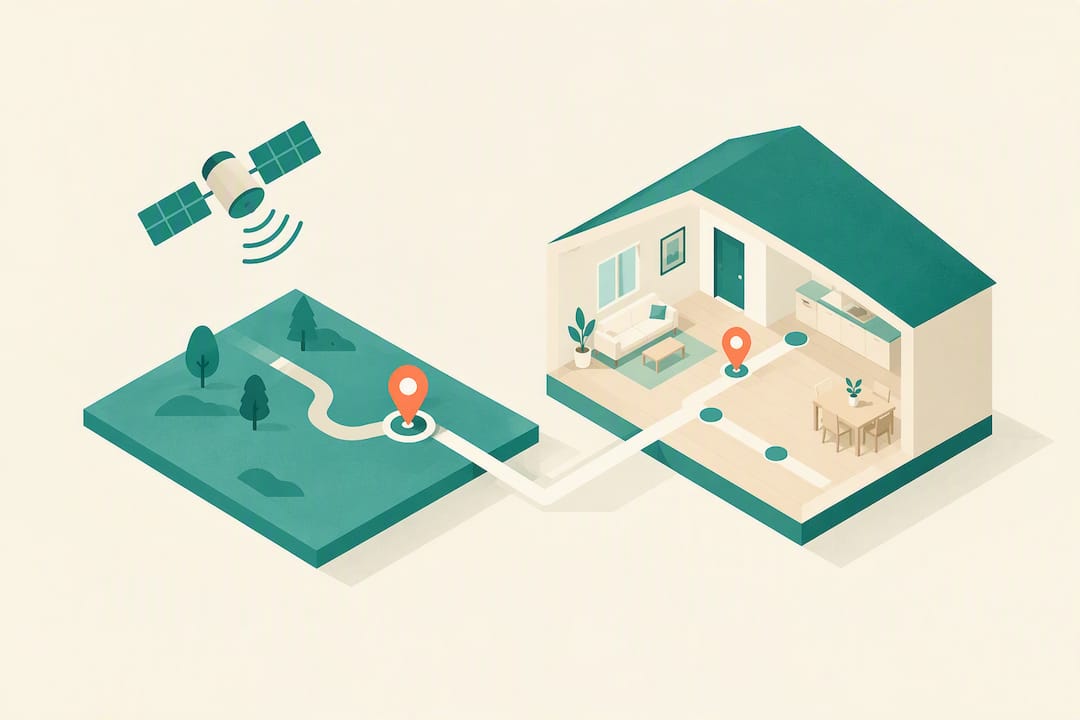
A GPS tracker will not pinpoint a room but can still do real work indoors. Consumer devices lean on Wi‑Fi and cell signals once satellites disappear behind walls, which is enough to confirm someone made it home, left school, or wandered from a geofenced yard. For most families, that approximate signal, paired with alerts rather than constant map watching, is the actual job a tracker like Kin One is built to do.
TL;DR:
- GPS trackers rely on Wi-Fi and cell signals indoors, which significantly reduces accuracy and can cause location drift.
- For reliable geofence alerts, set outdoor zones with a minimum radius of 150 to 200 feet and test them to account for indoor positioning inaccuracies.
- Key features include long battery life, motion-triggered updates, durable construction, SOS buttons, and multi-user map access; avoid models with hidden fees or weak security.
- Indoors, trackers report last-known outdoor positions or rough Wi-Fi/cell estimates, making indoor accuracy approximate and best suited for alerts rather than exact location.
- Kin One offers lifetime cellular GPS with no monthly subscription, strong privacy controls, and shared family mapping designed for long-term family safety use.
Kinwatchdog
Keep Family Locations In View
Kin One helps families monitor kids, pets, and parents on one map, with real-time updates and no ongoing subscription.
Table of Contents
- How GPS Trackers Handle Indoor Positioning (and Why Accuracy Drops)
- What Features Actually Matter in a Family GPS Tracker
- Matching the Right Tracker to Kids, Pets, or Seniors
- Setting Up Geofences and Keeping the Tracker Reliable
- Protecting Your Family’s Location Data
- How Families Actually Find Peace of Mind With Tracking
- Kin One: A Family Tracker Without the Monthly Bill
- Sources
- FAQ
How GPS Trackers Handle Indoor Positioning (and Why Accuracy Drops)
Satellite GPS needs a clear line of sight to the sky. A tracker calculates position by timing signals from multiple satellites, and that math falls apart the moment a roof, concrete floor, or steel framing gets between the device and orbit. This is the core reason does GPS work indoors is such a common question. It technically doesn’t, not the way it works outside.
Most consumer trackers compensate with fallback methods. When satellite lock fails, the device switches to Wi‑Fi scanning (matching nearby network signals to a known location database) or cell tower and location-based service (LBS) triangulation. Bluetooth indoor trackers use a third method entirely, pinging nearby phones or beacons, which only works within a short range and isn’t true GPS at all.
Here’s what accuracy looks like in practice:
- Open outdoors: typically 10 to 30 feet, sometimes tighter with a strong satellite view.
- Urban canyons (dense city blocks, tall buildings): accuracy can drift to 100 feet or more as signals bounce off structures.
- Inside a home or building: the device usually reports a “last known” outdoor position or a rough Wi‑Fi/cell estimate, sometimes off by a full block.
That gap between where someone actually is and where the app shows them is often called blue-dot drift. It’s also the leading cause of false geofence alerts, like a notification that your dog left the yard when she’s actually asleep on the porch, just outside the GPS margin of error.
Before you trust any device for daily use, test it at home. Walk from your porch to your bedroom and watch how the reported location lags or jumps. That fifteen-minute experiment tells you more about real-world performance than any spec sheet.
What Features Actually Matter in a Family GPS Tracker
Specs sheets are full of numbers that don’t matter day to day. Here’s what actually affects whether a tracker earns its place on your keychain, collar, or belt loop.
- Battery life and charging pattern. A tracker that dies every two days becomes a chore, not a safety tool. Look for motion-triggered reporting, which lets the device sleep when nothing’s moving and only ping location more frequently during activity. That single feature can stretch a charge from two days to two weeks.
- Update frequency. Faster updates drain batteries faster. A 30 to 60 second interval makes sense outdoors during active tracking (a hike, a walk to school), while a 1 to 5 minute interval is plenty for routine home and neighborhood monitoring.
- Geofencing and SOS. Arrival and departure alerts matter more than a live-moving dot. An SOS button matters even more for seniors and kids who may need to signal distress fast.
- Durability. For pets especially, look for an IP67 or higher rating, meaning the device survives submersion, not just splashes. A secure, chew-resistant attachment matters just as much as the electronics inside.
- Multi-user map access. One dashboard where every family member’s device shows up saves you from juggling five different apps.
Pro Tip: Read the subscription fine print closely. “No monthly fee” sometimes just means the first year is free, or that data comes from a Bluetooth mesh network instead of real cellular GPS. Ask directly whether the device uses lifetime cellular data or requires a future plan.
Account security deserves the same scrutiny as hardware. Two-factor authentication, the ability to delete stored routes, and control over who can see a shared map are not optional extras. They are the difference between a tool that protects your family and one that quietly becomes a privacy liability.
Matching the Right Tracker to Kids, Pets, or Seniors
The features that matter shift depending on who’s wearing the device.
- Kids need a compact, hard-to-lose form factor, reliable geofence alerts around school and home, an SOS button, and parental controls that limit who can contact or locate the device.
- Pets need true cellular GPS, not a Bluetooth-only tag that stops working the moment your dog wanders past your phone’s range. Look for IP67 or better water resistance and a collar attachment that won’t snap on a run.
- Seniors benefit most from long battery life, a dead-simple SOS flow (one button, no menus), and the ability for multiple caregivers to share visibility without confusing the primary user.
A practical setup for a household with all three might mean one lightweight clip-on for a child’s backpack, a rugged collar tag for the dog, and a slim wearable for an aging parent, all reporting to the same family map instead of three separate apps.
Setting Up Geofences and Keeping the Tracker Reliable
Good setup prevents most of the false alarms that make people abandon trackers within a month.
- Draw your first geofence around home with a generous radius, at least 150 to 200 feet, to absorb normal GPS drift.
- Test it immediately: walk to the edge of the zone and confirm the alert fires where you expect, not fifty feet early or late.
- Add a second geofence for school, work, or a dog park, and repeat the same test.
- Compare the app’s reported location against known landmarks, your front door, your driveway, over a few days to calibrate your expectations for indoor drift.
Pro Tip: Charge trackers on a fixed schedule, like every Sunday night, so battery anxiety doesn’t creep into your routine. Motion-triggered reporting already does most of the battery-saving work; a consistent charge day just closes the loop.
For households managing more than one device, review your approved contacts list monthly. People move, babysitters change, and old numbers with location access are an easy thing to forget about.
Protecting Your Family’s Location Data
A tracker is only as trustworthy as its privacy controls. Before buying, confirm the product has a clear privacy policy, route deletion, and mandatory two-factor authentication, since these are now treated as baseline expectations for any family safety device, not premium extras.
Check for these specifically:
- A privacy policy that states plainly who can access location history and for how long.
- The ability to permanently delete past routes, not just hide them.
- User-managed visibility, so you decide who sees which family member’s location.
- No hidden audio or camera features you didn’t know you were buying.
On “no monthly fee” claims, ask for the promise in writing. Some buying guides caution that many real-time trackers require ongoing subscriptions, even when marketing leads with “free.” A company should be able to explain exactly how lifetime data works, in plain language, before you pay anything.
On usage habits: rely on alerts, not constant checking. Routine-based alerting, geofences for home, school, or work, tends to reduce the anxiety that comes from watching a dot move in real time all day.
How Families Actually Find Peace of Mind With Tracking
The families who stick with a tracker long term are the ones who stop treating the app like a live surveillance feed. Geofence alerts and last-known locations do the heavy lifting; checking the map every ten minutes just adds stress without adding safety. Interest in subscription-free trackers, including the thousands of families who’ve already signed up ahead of Kin One’s launch, tells you plenty of people are tired of paying monthly for peace of mind they could get from good defaults and a few smart alerts.
— Louis
Kin One: A Family Tracker Without the Monthly Bill
If you’ve read this far, you already know what to look for: real cellular GPS, honest battery specs, a solid IP rating, and privacy controls you can actually verify. Kin One was built around exactly that checklist. It is a one-time purchase with no monthly fee attached, and it puts every family member, kid, pet, or parent, on a single shared map instead of three separate apps.
You get real-time location updates, geofence alerts for arrivals and departures, an SOS button, and support for approved emergency contacts. Privacy controls include route deletion and visibility you manage yourself, and the device carries a warranty. The device skips audio monitoring and onboard cameras by design, since the goal is location awareness, not surveillance.
It’s built for families who want subscription-free tracking without giving up the features that matter: geofencing, SOS support, and a dashboard that doesn’t require five different logins. Check the full spec sheet and pricing on the Kin One product page, or visit the Kin Watchdog landing page to join the families already signed up ahead of launch.
Sources
- Best GPS trackers and devices for kids
- How does a child’s GPS tracker actually work?
- How to choose the right GPS tracker (Avoid costly mistakes in 2026)
FAQ
Does GPS Work Indoors at All?
Not directly. Satellite signals can’t reliably penetrate roofs and walls, so trackers switch to Wi‑Fi scanning or cell-tower location once indoors, which is far less precise than open-sky GPS.
What’s the Difference Between a Microchip and a GPS Tracker for Pets?
A microchip only stores an ID number that a vet or shelter scanner can read up close; it has no power source and cannot report live location. A GPS tracker, like a collar-mounted device with real cellular GPS, actively reports where your pet is in real time, which is the meaningful difference between microchip and GPS for pets.
How Accurate Is a Real-Time Indoor GPS Reading?
Expect the device to show a last-known outdoor position or a rough Wi‑Fi/cell-based estimate rather than a precise indoor location. Treat any indoor reading as approximate and rely on geofence alerts for arrival and departure confirmation instead of exact placement.
Does Kin One Require a Monthly Subscription?
No. Kin One is a one-time purchase at $99 with no recurring fees, covering lifetime data access for real-time family tracking.
What Should I Check Before Buying Any Family GPS Tracker?
Confirm the device has a clear privacy policy, route deletion, two-factor authentication, and an honest explanation of its subscription model in writing. Also check its IP rating and battery specs against your actual use case, whether that’s a child’s backpack, a dog’s collar, or a parent’s pocket.