Pet Safe Zone Alerts: How They Work and How to Set Them Up
Pet safe zone alerts tell you the moment a dog or cat leaves a set area. Learn how they work, how to set them up, and why false alerts happen.
Pet Safe Zone Alerts: How They Work and How to Set Them Up
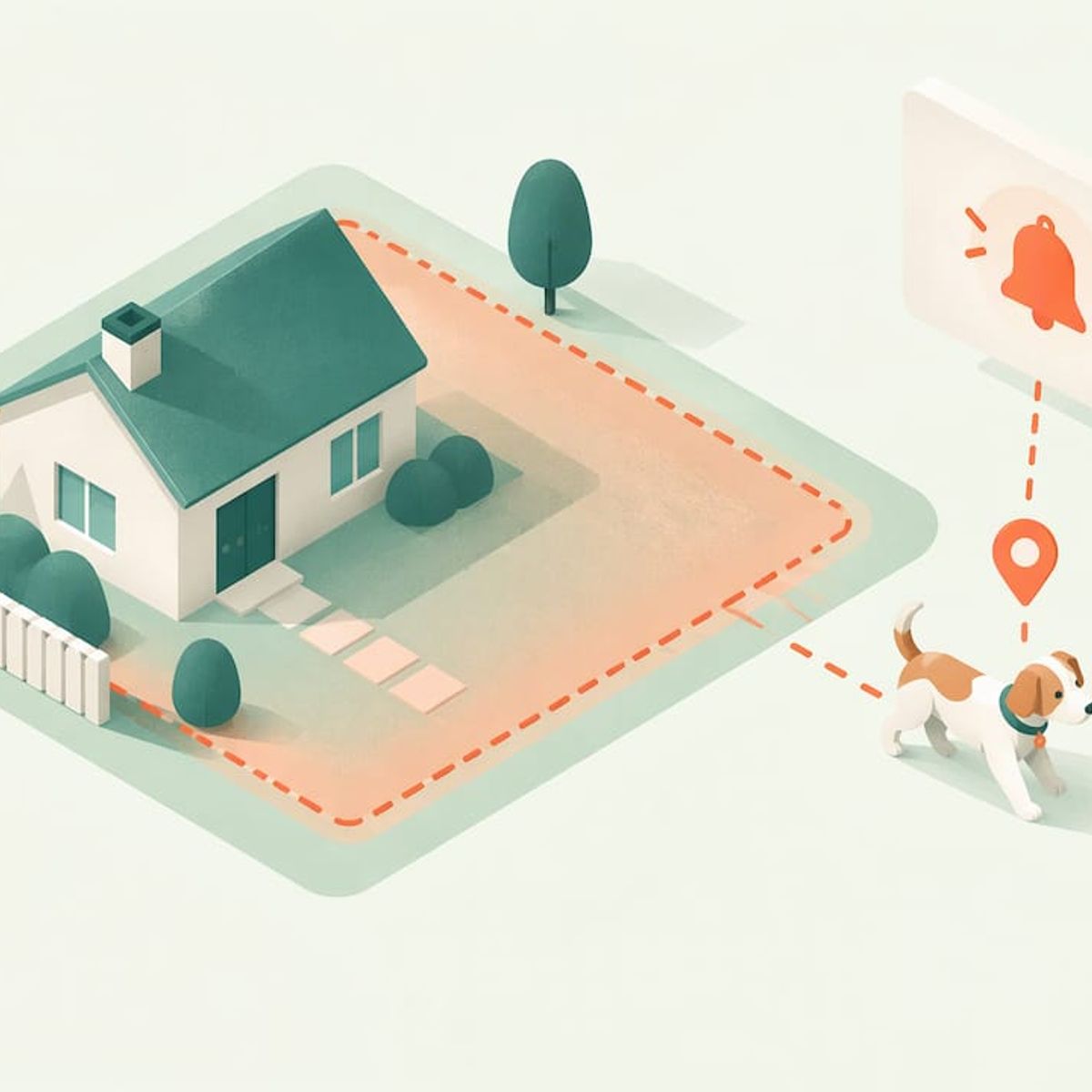
A pet safe zone alert is a notification that reaches your phone when your pet’s GPS tracker crosses the edge of a boundary you drew on a map. You draw a circle or area around your yard, your home or a friend’s house. The tracker checks its position against that boundary, and the app sends a message when your pet goes out (and, with some setups, when it comes back). The alert is only as useful as three things: how well you place the zone, how fast the tracker reports its position, and how many people get the message.
This guide covers each of those. It explains what happens behind the alert, walks through setup, and explains why a tracker sometimes says your pet is outside the zone while it is on the couch. It also covers what to do in the first ten minutes after an alert.
Kinwatchdog
Keep Your Pet on the Map
Kin One tracks pets alongside kids and parents on one map, with real-time updates and no ongoing subscription fees.
TL;DR
- A safe zone (also called a geofence) is a virtual boundary on a map. When the tracker’s GPS position crosses it, the app alerts you.
- Draw the zone a little larger than your property so normal GPS drift does not set off false alarms, and test it by walking the pet to the edge.
- Share the alerts with everyone who can act: a partner, a neighbor, a dog walker. An alert only you can see is easy to miss.
- Bluetooth item tags are built to find stationary objects, not to send real-time exit alerts for a moving pet. A cellular GPS tracker is the right tool for this job.
- When an alert arrives, open the live map first, then move toward the pet’s position rather than where you last saw it.
Table of Contents
- What a pet safe zone alert actually is
- Why the tracker type decides whether alerts work
- How to set up a safe zone and turn on alerts
- How to size and place a zone
- How fast alerts arrive, and what changes the timing
- Why a tracker says your pet is outside while it is indoors
- Sharing alerts with family and caregivers
- What to do when the alert comes in
- Our perspective on pet safe zone alerts
- Choosing a tracker for safe zone alerts
- Promo: one tracker, one map, no monthly plan
- FAQ
- Sources
What a pet safe zone alert actually is
A safe zone is a boundary stored in an app. It is usually a circle with a center point and a radius, though some apps let you draw a custom shape. The tracker on your pet’s collar or harness regularly works out its own position using satellite signals and sends that position over a cellular network to the app. Software then compares the latest position with your boundary. If the position moves from inside to outside, you get an alert.
Two ideas are worth separating:
- Exit alert: your pet left the zone. This is the one that matters most for escape-prone dogs and outdoor cats.
- Entry alert: your pet arrived in or returned to the zone. It is useful for confirming that a cat made it back or a dog walker dropped your dog home.
We build the same logic into our family tracker for people. Our guide to kids GPS tracking with geofencing describes arrival and departure alerts for places like school. A pet zone works the same way. The boundary is around a place, the tracker is on the one who moves, and the alert fires at the crossing.
Why the tracker type decides whether alerts work
Not every device that shows a location can send a useful safe zone alert. The difference comes down to how the device finds itself and how it reports back.
Device typeHow it locatesHow often you see updatesFit for safe zone exit alerts
Cellular GPS tracker
Satellite positioning, reported over a mobile network
Frequent, depending on the device and mode
Strong: it can follow a pet that is moving away
Bluetooth item tag
Relies on other people’s nearby phones passing by
Only when a phone happens to be near
Weak: no live position for a moving pet
Short-range radio tracker
Handheld receiver and collar unit
Live, but only within radio range
Limited to the range of the handheld
Microchip
None, a registry lookup after someone finds the pet
Not applicable
None: it identifies, it does not alert
The weakness of Bluetooth tags for this job is well known among pet owners. Apple’s own community forums are full of owners reporting that a tag built to find stationary items does not give real-time updates for a pet that is on the move (Apple Community). A tag is a good way to find keys in a couch. A running dog is a different problem. We lay out the difference in detail in our comparison of a GPS tracker versus a Bluetooth tag, and if you are weighing a handheld radio unit, see radio pet trackers versus GPS.
Microchips deserve a note too, because many owners assume the chip covers them. A chip stores an ID that a vet or shelter reads after someone has already found your pet. It does not tell you where the pet is now, and even the scanning is imperfect: a study of commercial scanners found that none of the ones tested detected every chip, so researchers concluded that microchipping should be one part of a broader identification plan (Journal of the American Veterinary Medical Association). Our page on microchip versus GPS tracker explains how the two work together. Keep the chip registered and add a tracker for the live map.
How to set up a safe zone and turn on alerts
The exact taps differ by app, but the process is the same everywhere. Do it at home, with the pet beside you, not in a rush after the first escape.
- Charge and pair the tracker. Install the app, create your account and confirm the tracker shows a live position before you draw anything.
- Fit the tracker snugly. A device that swings loose on a collar can twist and lose a clean view of the sky. Fit it so it sits upright and you can slide two fingers under the strap.
- Open the safe zone or geofence screen. Drop a pin on your home address or your yard.
- Set the radius. Make it larger than the lot itself, see the next section for how much.
- Name the zone. “Home,” “Grandma’s house,” “Dog park” make alerts readable at a glance on a lock screen.
- Switch on exit alerts, and entry alerts if you want them. Enable push notifications for the app in your phone settings too. A zone with alerts muted at the phone level does nothing.
- Add the people who should be notified. Invite family members or caregivers so they get the same alert.
- Test it. Walk your dog on a leash past the edge of the zone and time how long the alert takes. Do this again from a different side of the property.
If you also use the tracker away from home, add zones for places your pet regularly goes: a relative’s yard, a boarding kennel, a favorite trail head. Our guide to GPS trackers for dogs covers collar placement and everyday use in more depth.
How to size and place a zone
Most false alarms and late alerts come from a zone that is too tight or poorly placed. A few rules help.
- Add a buffer. Consumer GPS is accurate to a few yards in open sky, and worse near tall buildings, dense trees or the sides of a house. If your yard is 50 feet across, a zone with a radius barely bigger than the yard can flicker in and out. Give it room.
- Balance the buffer against the risk. A bigger zone means a later alert. If your dog can clear a four-foot fence in seconds, you want the boundary close to the fence line. If the pet is a cat that roams two lots over, a wider zone filters out routine wandering.
- Use more than one zone for big properties. A tight inner zone around the house and a wider outer zone around the whole lot give you an early warning and a firm one.
- Center the zone on where the pet actually is. For apartment dwellers the center should be the building, not the street address pin, which can land on the curb.
- Think about the neighbors’ yards. On a small suburban lot, the pet can be in the neighbor’s yard, 30 feet away, and still be reported as outside. That is a correct alert. Decide whether you want it.
Our page on GPS trackers for cats goes into how indoor and outdoor cats call for different zone sizes.
How fast alerts arrive, and what changes the timing
The speed of an alert is the sum of four steps: the tracker finds its position, it sends that position, the app compares it with your zone, and your phone shows the notification. Slowness can creep in at any of them.
- Update rate. If the tracker reports its position every few minutes to save battery, a fast dog can be well past the boundary before the app knows. The more frequently a tracker reports, the sooner the alert. Live-tracking modes report far more often than idle ones. See our explanation of real-time GPS tracking and our journal piece on 1 to 5 second updates for how update speed works for families.
- Cell coverage. A cellular tracker needs a signal to report. In rural areas and dead zones the position waits until coverage returns.
- Sky view. Satellite signals weaken indoors, under dense tree canopy and in basements or garages.
- Phone settings. Battery saver modes, Focus or Do Not Disturb, and restricted background activity can delay or hide a push notification. Allow the app to notify you, and test with the phone locked.
The cost of a slow alert is real. One owner complaint that ranks for this very topic describes a dog out for half an hour because no text alert came through when the dog left the zone. Whichever tracker you own, check that the alert reaches you in a form you will actually notice, and that more than one person gets it.
Why a tracker says your pet is outside while it is indoors
This is the most common frustration, and it almost always has a plain explanation.
- GPS drift indoors. Inside a building, the signal bounces off walls and roofs. The tracker’s calculated position can slide tens of feet from the real one. If your zone is tight, the drifted position lands outside it.
- A stale position. The app may be showing the last position it received, not the current one. If the tracker lost signal in a part of the house, the dot will not move until it reconnects.
- A zone that is off-center. If you dropped the pin on the street or on a neighbor’s house, the pet’s own bed may sit near or past the edge.
- A small radius. A zone of a few yards cannot absorb ordinary GPS error.
- The wrong zone. If you created an earlier test zone somewhere else and it is still active, you may be getting alerts for it.
The fixes follow directly. Enlarge the radius, recenter the pin on the home, delete old zones, and look at the timestamp on the last position. If your pet naturally sleeps in a room with a poor sky view, such as a basement or interior bathroom, a wider zone matters even more.
Sharing alerts with family and caregivers
A safe zone alert that only goes to one phone fails the moment that phone is silenced, in a pocket on a flight, or in the hands of someone who is at work. Share the pet’s tracker with every adult who handles the pet. Then agree on who responds first.
A simple household rule works well: whoever is closest checks the map and replies in the family chat, so two people do not chase the same direction. Spouses, teenagers old enough to be trusted with the task, a dog walker and a friendly neighbor can all be on the notification list. On our side, Kin One puts kids, pets and parents on one map, and it supports up to five approved emergency contacts. Our family GPS tracker page explains how that works, and our journal article on family emergency location sharing lists five checks to run before you rely on any sharing setup.
What to do when the alert comes in
Panic wastes the first minutes. Use the same sequence each time.
- Open the live map. Confirm the position and its timestamp. A position that is minutes old tells you where the pet was.
- Check the easy explanations. Is the pet in a neighbor’s yard, in the garage, or at the edge of the zone because of drift? A quick look out the window answers most of these.
- Tell the others. Message everyone who has the tracker shared so no one is searching blind.
- Head toward the pet’s current position, not the last place you saw it. Keep the map open as you move. A pet that is running will keep changing position, so follow the dot.
- Bring what helps. A leash, treats, a flashlight at night, and a carrier for a cat.
- Call, don’t chase. A dog that sees you running may bolt. Approach calmly, crouch, and use the recall cue or a rattle of the treat bag.
- If the dot stops moving somewhere unexpected, go there and look. A stationary tracker that is away from home can mean the pet is confined, injured or that the collar has come off. If you cannot find your pet, contact local animal control and shelters, and keep the microchip registry details current.
After the pet is home, figure out how it got out. Fix the gate latch, the gap under the fence or the door that does not close, and adjust the zone if it gave you less warning than you wanted.
Our perspective on pet safe zone alerts
We built Kin One around one idea: a location tracker should work for the whole family, not just for a single pet and a single phone. A safe zone is only a promise that someone will see the alert in time, so we think the people who get the alert matter as much as the geofence itself.
That is why Kin One shows kids, pets and parents on one map, and why it lets you list up to five approved emergency contacts. When a dog slips through a gate, the whole household should know at once.
We also think cost should not decide whether you set a zone at all. Many trackers charge a monthly plan, and owners turn the plan off to save money, which turns the alerts off too. Kin One is a one-time purchase with no monthly fees and lifetime network data, so there is no subscription to lapse on the day your dog finds the open gate. It also comes with a two-year warranty.
And we keep privacy simple. Kin One has no audio monitoring and no onboard camera, and it gives you route deletion and control over who sees what. You get the location and the alert, nothing more.
Louis
Choosing a tracker for safe zone alerts
When you compare trackers, judge them on the points that decide whether an alert helps you.
- Does it report over a cellular network? Without it, you only see the pet when a phone is nearby or within radio range.
- How often does it update? Ask what the update rate is in normal use and in live mode.
- What does it cost over three years? A low sticker price with a monthly plan can cost more than a higher one-time price. Our guide to GPS trackers with no monthly fee lists what to check, and our alternative to subscription-based pet trackers explains the trade-offs.
- Can several people receive the alerts? One recipient is a single point of failure.
- Can you control privacy? Check what data is stored, for how long and who can see it.
- What is the warranty? Collars take a beating from rain, mud and play.
Promo: one tracker, one map, no monthly plan
Kin One is our one-time purchase GPS tracker and app. It gives you live location on a single map for your kids, pets and parents, arrival and departure alerts, up to five approved emergency contacts and no monthly fees, for $99. See the details on the Kin One page, or read how it works for dogs and pets.
If you want a device you can set up this weekend and never pay a plan for, start there.
FAQ
Can I get safe zone alerts for more than one place?
Yes, with most pet trackers you can save several zones, such as home, a relative’s house and the kennel. Name each one clearly so the alert tells you at a glance where your pet was supposed to be. Review the list every few months and delete the ones you no longer use.
Can other family members get my pet’s safe zone alerts?
Most tracker apps let you share a pet with other users, who then see the same location and alerts. Add everyone who handles the pet, and agree on who responds first. With Kin One, your family sees pets, kids and parents on one map.
Can a Bluetooth tag send a safe zone alert for my dog?
Not reliably. A Bluetooth tag finds items through other people’s phones that happen to pass nearby, so it does not give a live position for an animal that is running. For escape alerts, use a GPS tracker with a cellular connection. We compare the two in our GPS tracker versus Bluetooth tag guide.
Does a microchip replace a GPS tracker?
No. A chip helps a vet or shelter identify your pet after someone finds it, and scanners do not detect every chip, so it works best as one part of a larger plan. A GPS tracker shows where the pet is now. Use both.
How big should my safe zone be?
Larger than your property, with a buffer that absorbs normal GPS drift of a few yards. Then test it by walking your pet to the edge and timing the alert. If you get false alarms indoors, widen the radius and recenter the pin.
Sources
- Using AirTag to Track My Dog – Best Setup? (Apple Community)
- Sensitivity of commercial scanners to microchips of various frequencies (Journal of the American Veterinary Medical Association)