How to Track Multiple Devices and Family Members on One Map
Track kids, pets and parents on one map: what each person needs, phone sharing vs GPS trackers, real costs, privacy rules and what to do when a location stalls.
How to Track Multiple Devices and Family Members on One Map
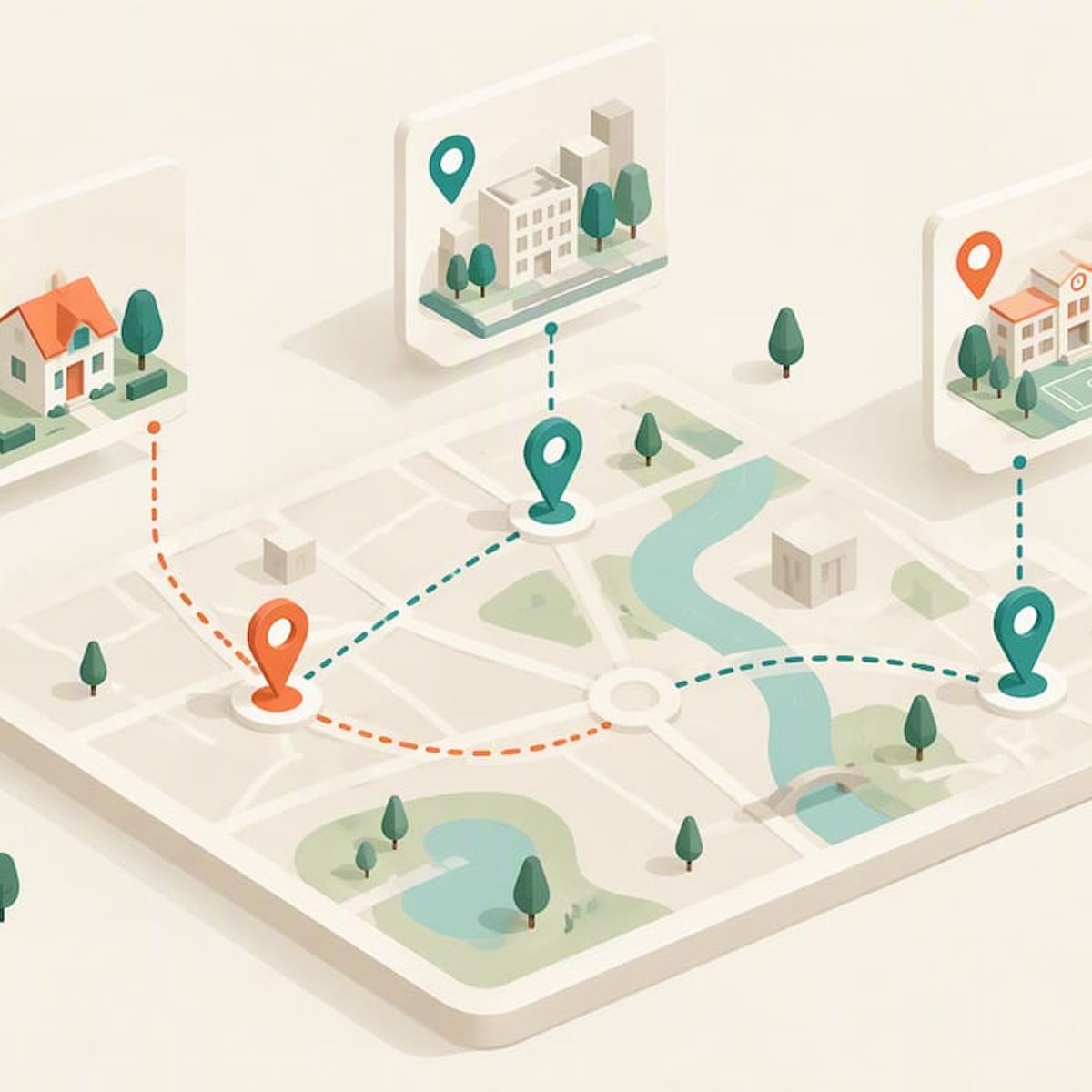
To track several people, pets or devices at once, you need one app that shows every location on a single map, and each person or pet needs something that reports a location: a phone with sharing turned on, or a dedicated GPS tracker. Phones cover the family members who already carry one. A tracker covers the child without a phone, the dog, and the grandparent who leaves the phone on the kitchen counter. Below we walk through how each option works, what it costs, how to keep it private, and what to do when a dot stops moving.
Kinwatchdog
kinwatchdog.com
Keep Your Family on One Map
Kin One tracks the locations of kids, pets and parents on one map, with real-time updates and no ongoing subscription fees.
TL;DR
- One map for everyone works best when you mix tools by person: phone sharing for people who carry a phone, a dedicated GPS tracker for kids without one, pets and seniors.
- Phone sharing is free to start, but it fails when the phone is dead, left behind or has battery saver on. A tracker does not depend on a phone being with the person.
- Cost is the hidden variable. Many trackers charge a monthly plan per device, which multiplies fast. Kin One is a single $99 payment with no monthly fees.
- Agree on the rules out loud first. Tracking someone who does not know about it is stalkerware territory, and teens need more privacy as they grow.
Table of Contents
- What “tracking multiple devices” really means for a family
- Phone sharing or a dedicated tracker: who gets which
- What each person or device needs before it shows up on the map
- Putting kids, pets and parents on one map
- Can you track multiple devices for free?
- Privacy, consent and the line between safety and surveillance
- What to do when a location stops updating or a device goes missing
- Our perspective: one map, no monthly bill, no spying
- Where Kin One fits
- Choosing your setup: three real households
- FAQ
- Sources
What “tracking multiple devices” really means for a family
The phrase covers two very different things. Marketing and analytics teams use it for following one user across a laptop, phone and tablet. That is not what this article is about. Here we mean the family version: knowing where your kids, your pets and your parents are, all at once, without opening four apps.
That goal breaks into three jobs:
- Seeing everyone on one screen. One map, several markers, ideally with names and last-updated times.
- Getting a location from each one. Every marker needs a source: a phone, a cellular GPS tracker or, for items only, a Bluetooth tag.
- Keeping it running. Batteries, permissions, signal and subscriptions are what make a map go quiet.
Most frustration comes from job two. People install a map app and discover that half the family has nothing to report from.
Phone sharing or a dedicated tracker: who gets which
Phone-based tracking relies on the device a person already carries. Dedicated GPS trackers, which are often cellular, are built for specific uses such as pets, vehicles, or children who may not have a smartphone, according to Wirecutter’s guide to tracking your kid. The same guide notes that Bluetooth tags suit personal items, because they lack the steady cellular connection needed for real-time monitoring of people.
That gives you a practical split:
Who or whatBest source of locationWhy
Teen or adult with a phone
Phone location sharing
Already carried, no extra hardware
Child under about 10 with no phone
Dedicated GPS tracker
No smartphone to share from
Dog or cat
GPS tracker on a collar
Pets cannot run an app
Older parent who forgets the phone
GPS tracker in a bag or pocket
Works even when the phone stays home
Keys, backpack, luggage
Bluetooth tag
Cheap, short range, items only
Consumer Reports describes GPS trackers as using cellular networks for precise, continuous updates, and says a kid-focused model can offer parents more insight and control without a smartphone’s open-ended features. It frames that as a middle ground for elementary and middle schoolers.
If you want the head-to-head, we compare the two approaches in GPS tracker vs phone tracking, and cover the no-phone case in our guide to GPS trackers for kids without a phone.
What each person or device needs before it shows up on the map
A map is only as complete as its weakest source. Run this checklist for every marker you want to see.
For a phone
- Location services turned on for the sharing app, with permission set to share in the background, not only while the app is open.
- Battery saver or battery optimization off for that app. Turning off battery optimization is often required for steady background reporting in tracking apps, a point Consumer Reports’ data-collection analysis touches on in the context of how mobile systems handle location.
- Mobile data or Wi-Fi available. A phone in airplane mode reports nothing.
- The person has accepted your invitation. Sharing is opt-in on the major phone platforms, and it should stay that way.
For a dedicated GPS tracker
- A charged battery and a habit for recharging it. Pick a fixed day or a fixed spot, like the charger by the front door.
- Cellular coverage where the person or pet spends time. Indoor basements and rural dead zones weaken any cellular device.
- Placement that makes sense: a backpack pocket for a child, a collar for a dog, a coat or purse for a parent.
- An account on the app, with each tracker named so you can tell “Maya” from “Biscuit” at a glance.
For a Bluetooth tag
Tags are fine for the backpack or the keys. They lean on nearby phones to relay a position, so we would not trust one as the only way to find a child or a wandering relative.
Putting kids, pets and parents on one map
This is where most families get stuck: phone sharing apps tend to show phones only, and tracker apps tend to show their own trackers only. You end up with two or three apps.
Kin One was designed around the opposite idea. It is a one-time purchase GPS device and app that puts kids, pets and parents on a single map, with live updates, arrival and departure alerts, and room for up to five approved emergency contacts. Multiple family members can use the same map, so the grandparent who checks on a dog walk and the parent watching a school commute see the same picture.
A few setup habits make a shared map useful rather than noisy:
- Name every marker by person or pet, never by device number.
- Set places that matter: home, school, practice, grandma’s house. Arrival and departure alerts then replace constant checking.
- Decide who sees what. Not every relative needs access to every marker.
- Add emergency contacts once. Kin One allows up to five approved contacts, so a neighbor or aunt can be reached when you cannot.
- Test before you rely on it. Walk the dog around the block, send a child to the corner, and watch the dot.
Our family safety checklist walks through eight setup steps for kids, pets and caregivers, and the family GPS tracker page shows the one-map layout in more detail.
Can you track multiple devices for free?
Partly. Phone location sharing built into your phones’ operating systems or into a map app typically costs nothing, which is why it is the sensible starting point for teens and adults who carry phones.
The cost appears when you add hardware that has its own cellular connection. A tracker with a SIM-style connection has to pay for data somewhere. Many sellers pass that on as a monthly or annual plan, charged per device. Do the arithmetic for your household: with a child, a dog and a grandparent, three plans can add up to a recurring bill that outlasts the device itself. Consumer Reports, in its piece on kid trackers, flags that you should look at the full cost of ownership rather than the sticker price alone.
Before you buy anything, ask four questions:
- Is the monthly fee per device or per account?
- What happens to the tracker if I stop paying: does it go dark entirely?
- Is there a contract term, and what is the cancellation process?
- Is the price shown with or without the plan?
We wrote about what plans really pay for in GPS tracker subscription cost, and about what to verify in GPS trackers with no monthly fee.
How Kin One handles cost
Kin One costs $99 as a one-time payment. That includes lifetime network data, so there is no subscription to keep it connected, and it comes with a two-year warranty. The practical effect on a multi-person map is that adding a pet or a parent later means the price of another device, not another line on your monthly bill.
Privacy, consent and the line between safety and surveillance
A map of your family is also a record of where they have been. Treat it with the same care as any sensitive data.
Know what the law and regulators say. The FTC has warned that stalkerware apps can secretly track a person’s location, phone conversations, texts, emails and photos, in its alert on a case against a stalkerware seller. Family location sharing is the transparent opposite: everyone knows, everyone agreed. If you ever suspect that an app is secretly tracking you, the same FTC page advises talking with a domestic violence counselor before uninstalling it, making a safety plan, and checking whether the phone was jailbroken.
Understand the data trail. Consumer Reports has highlighted that mobile operating systems and cellular providers continuously generate and store detailed geolocation histories that can be sensitive and identifying if third parties get at them. It also reported that location data is not covered by HIPAA, and that other laws do not stop anyone from buying it. In plain terms: choose a product whose maker limits what it keeps.
Pull back as kids grow. Wirecutter’s advice is that as your child ages you should give them more privacy and independence. For a nine-year-old walking to school, a tracker is a reasonable safety net. For a sixteen-year-old, a conversation about shared expectations matters more than a map. We take that up in our guide to GPS trackers for teenagers and in a two-week trial for location-sharing etiquette.
A simple family agreement covers most of it:
- Everyone on the map knows they are on it.
- Everyone knows who can see them.
- You check in for a reason (late arrival, a lost dog), not out of habit.
- Teens get a date when the arrangement is reviewed.
What to do when a location stops updating or a device goes missing
A frozen dot is not always an emergency. Work through it in order, from most to least likely.
- Read the timestamp. A marker showing “updated 4 minutes ago” is information. One showing “updated yesterday” is a missing signal, not a location.
- Check power. A dead battery is the most common cause, for phones and trackers alike.
- Check settings on a phone. Battery saver, a revoked location permission or airplane mode will each silence it. Turn off battery optimization for the sharing app.
- Think about coverage. Basements, parking garages, remote trails and rural stretches can all cause gaps. The last known position still tells you where to start.
- Call the person. Phone them, or the adult with them, before assuming the worst.
- Use your contacts. With Kin One you can list up to five approved emergency contacts, so you have people to ring who can walk to the last known spot.
- For a lost pet, go to the last known position first, then the route it was heading. A microchip registry only helps once someone finds the animal, while a live map helps you find it. We compare them in pet microchip vs GPS tracker.
- If someone is in danger, call 911. A tracking app is for finding a person, not a substitute for emergency services.
To make this routine less stressful, run the five checks in our piece on family emergency location sharing before you ever need it.
Our perspective: one map, no monthly bill, no spying
We built Kin One because the usual choices frustrated us. Phone sharing leaves out the youngest kids, the pets and the grandparents. Dedicated trackers fill the gap but charge monthly per device, so a family of five with a dog is paying a small utility bill just to feel calm.
So we made three choices. First, one payment, with lifetime network data. Second, one map where kids, pets and parents live together, rather than a separate app for each. Third, restraint: no audio monitoring and no onboard camera. A tracker should answer “where are they?” and stop there. The user manages visibility, and routes can be deleted.
Over 4,210 families have joined the community waiting for Kin One’s launch. What they tell us is consistent: they do not want to watch their kids, they want to stop worrying about them. A good map should make you check less often, not more.
— Louis
Where Kin One fits
If your household has a child without a phone, a dog that bolts, or a parent you worry about, Kin One covers all three on one map for a single $99 payment, with no monthly fees and a two-year warranty. It is built for families who want real-time hardware GPS without subscriptions, audio monitoring or complicated integrations.
See the details on the Kin One product page, or start with the version for your situation: kids, pets or seniors.
Choosing your setup: three real households
A family with a ten-year-old and a teen. The teen has a phone, so sharing from the phone is enough, agreed in advance. The ten-year-old gets a tracker in a backpack pocket, with an arrival alert set for school. Both appear on one map. See GPS trackers for kids at school for how arrival alerts work.
A household with a dog and an aging parent. Neither runs an app. A collar tracker handles the dog, and a small tracker in the parent’s coat or handbag handles them, with a daughter and a neighbor as emergency contacts. Our guide to GPS trackers for dogs covers collar fit and what to expect.
A budget-first family. Start with free phone sharing for everyone who has a phone. Add hardware only for the people and pets who cannot be tracked that way, and pick a one-time price over recurring plans. Our overview of the best GPS tracker without a subscription explains how to compare.
FAQ
Can I track my kids, my dog and my parents in the same app?
Yes, if the app supports both phones and dedicated trackers. Many phone sharing apps show phones only, and many tracker apps show only their own hardware. Kin One puts kids, pets and parents on one map, and multiple family members can use it.
Do I need a phone for every person I want to track?
No. Dedicated GPS trackers exist for people and pets that cannot or should not carry a phone, such as young children, dogs and some seniors. Bluetooth tags are better for items than for people, because they lack steady cellular connection.
Is it legal and appropriate to track family members?
Tracking your own minor child with their knowledge is common, but secretly monitoring another adult can cross into stalkerware, which the FTC has acted against. Tell everyone that they are on the map, agree on who sees it, and give teens more privacy as they get older. For legal questions about your own situation, speak with an attorney in your state.
Why did a family member’s location stop updating?
The usual causes are a dead battery, battery saver settings, a revoked location permission, airplane mode or no signal. Check the timestamp, then power, then settings, then call the person. If someone may be in danger, call 911.
Are there GPS trackers with no monthly fee?
Yes. Kin One is a one-time $99 purchase with lifetime network data and no subscription. Whatever you consider, ask whether the fee is per device and what stops working if you stop paying.
Sources
- The Best Ways to Track Your Kid (And Why You Might Not Want To), Wirecutter
- Should You Track Your Child With a GPS Tracker or a Smartphone?, Consumer Reports
- Understanding the Scope of Data Collection by Major Platforms, Consumer Reports (2020)
- SpyFone barred from selling stalking apps, FTC
- Guess What? HIPAA Isn’t a Medical Privacy Law, Consumer Reports