3 Ways to Share Location With Grandparents When Phones Fail
Compare free phone sharing, cross platform apps, and Kin One to find a setup grandparents can manage, even when a phone is forgotten or uncharged.
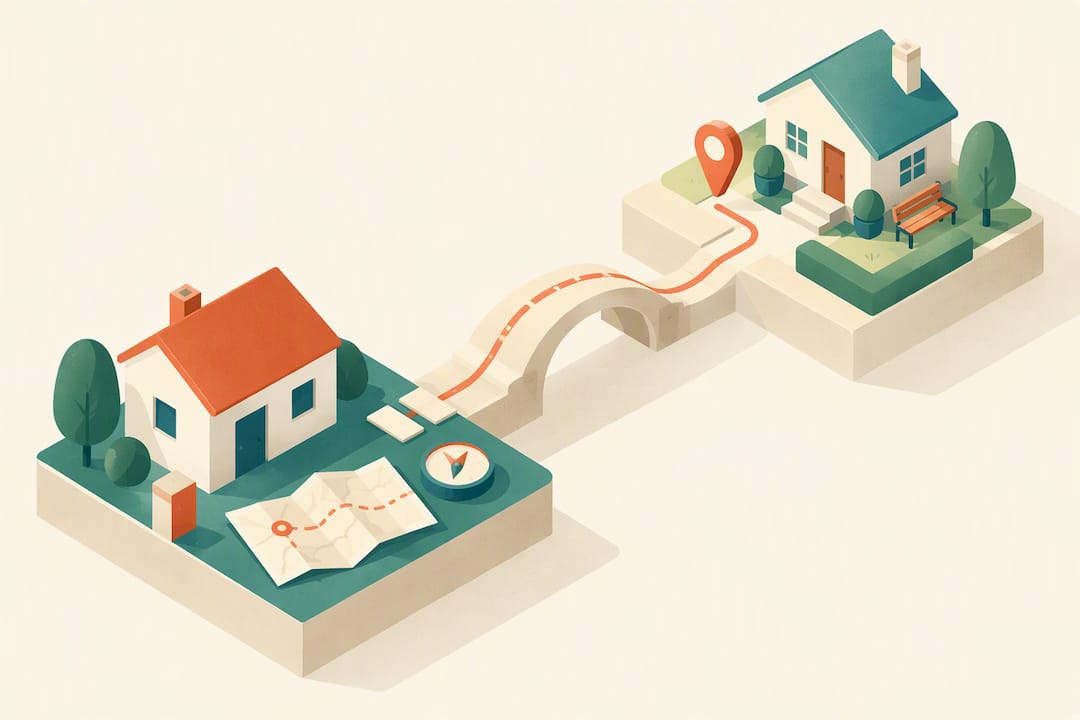
3 Ways to Share Location With Grandparents When Phones Fail
The most reliable way to share location with grandparents depends on how comfortable they are with a smartphone: built-in phone tools like Find My or Google Maps location sharing work well for phone-savvy grandparents, cross-platform apps bridge mixed Apple and Android households, and a dedicated hardware GPS tracker such as Kin One solves the problem when a phone gets left behind, uncharged, or confuses the person carrying it.
TL;DR:
- Find My works within Apple’s ecosystem, while Google Maps can share across iPhone and Android; both require location permissions, background access, and a charged phone.
- If phone use is unreliable, Kin One runs independently, costs $99 once, and has no monthly fees; it supports up to five approved contacts.
- Agree on who can view a grandparent’s location and why; use temporary sharing for single occasions, and reserve ongoing access for continuing safety needs.
- Check the device’s last location and charge weekly; if updates stop for several hours, call first, since a dead battery or misplaced phone is often the cause.
Kinwatchdog
kinwatchdog.com
Share Location Beyond the Phone
Kin One is a GPS tracker for keeping family members connected on one map, even when a grandparent’s phone is left behind.
Table of Contents
- Comparing your options for sharing location with grandparents
- Setting up Find My and Family Sharing on an iPhone
- Setting up Google Maps sharing on Android
- Why a hardware GPS tracker can be more reliable for grandparents
- Privacy, consent, and etiquette in family location sharing
- A reliability checklist for daily use
- Kin Watchdog resources to help you get set up
- How to read location data and act on it
- Which option I would pick in three family scenarios
- Where to find Kin One and get set up
- FAQ
- Sources
Comparing your options for sharing location with grandparents
Each approach fits a different family situation, so it helps to see them side by side before you commit to a setup.
- Built-in phone sharing (Find My, Google Maps) costs nothing, works within the same operating system, and depends on the grandparent keeping location services and battery life in check.
- Cross-platform apps connect an iPhone to an Android phone or vice versa, usually for free, though they ask every family member to install and configure a separate app.
- Hardware GPS trackers run on their own battery and software, so they do not depend on a grandparent’s phone habits, and a device like Kin One is a one-time purchase rather than a recurring bill.
Cost is rarely the deciding factor since phone-based sharing is free and most apps are too. The real trade-off is reliability: a phone only shares location when it is charged, carried, and configured correctly, while a dedicated tracker is built around a single job and tends to fail less often in daily use.
Setting up Find My and Family Sharing on an iPhone
If your grandparent uses an iPhone, Apple’s built-in tools are the fastest way to get started and require no new app.
- Open Settings, tap the grandparent’s name at the top, then select Share My Location.
- Go to People, tap Add, and choose the family member they want to share with.
- Pick a sharing duration: one hour, until end of day, or indefinitely.
- For ongoing monitoring, set up Family Sharing, which AARP notes supports up to six people in one family group with shared location visibility.
- If location does not update, check that Location Services is on, confirm the iPhone has the latest iOS update, and make sure battery optimization is not restricting background activity.
Pro Tip: Show your grandparent exactly where to tap “Stop Sharing” in Settings, so they feel in control and not monitored without recourse.
Setting up Google Maps sharing on Android
Android phones use Google Maps for location sharing, and the steps are just as quick once you know where to look.
- Open Google Maps, tap the profile photo in the top right corner, and select Location sharing.
- Tap Share location, choose a contact, and set a duration (one hour, until turned off, or a custom window).
- For a mixed household where the grandparent has an Android phone but other family members use iPhones, Google Maps sharing still works since the recipient only needs the Google Maps app or a shared link.
- If updates stop coming through, check that location permission for Google Maps is set to Allow all the time and that the app is excluded from battery optimization in Settings → Apps.
Pro Tip: Ask the grandparent to keep Google Maps open in the background rather than force-closing it, since some Android phones aggressively shut down idle apps to save battery.
Why a hardware GPS tracker can be more reliable for grandparents
Phone-based sharing works well until the phone itself becomes the weak link. The most common failure points with grandparents are a phone left on a counter, a battery that runs out by mid-afternoon, or a confusing lock screen that makes checking notifications difficult. Guidance from mySeniorCareHub points to exactly this pattern: hardware trackers are often recommended for seniors specifically because phones are not reliably carried or charged.
A dedicated GPS device sidesteps these problems in a few concrete ways:
- It runs on its own power source, so it is not competing with calls, texts, and apps for battery life.
- It is built around one function, which means a simpler interface with nothing accidentally to disable.
- Many trackers, including Kin One, use tamper-aware mounting so the device stays attached and reporting.
Kin One fits this role as a one-time-purchase tracker with no monthly fees, designed for family location sharing with privacy controls rather than extra monitoring features like cameras or audio.
Privacy, consent, and etiquette in family location sharing
Location sharing works best when it feels like a shared safety tool rather than surveillance. Start by asking directly whether your grandparent is comfortable sharing their location, and explain why: faster help in an emergency, peace of mind during travel, or confirmation they arrived somewhere safely.
- Agree as a family on who can see the location and under what circumstances, rather than leaving it open to everyone.
- Use temporary sharing windows for one-off situations, like a doctor’s appointment, and reserve permanent sharing for ongoing safety needs.
- Restrict the list of approved viewers, turn off location permissions for apps that do not need them, and delete route history periodically when it is no longer useful.
Pro Tip: Set a recurring 15-minute family check-in, maybe once a season, to revisit who has access and confirm the settings still match what everyone agreed to.
A reliability checklist for daily use
A location-sharing setup is only as good as the habits around it. These three checks keep it dependable.
- Charge daily, ideally at the same time each day, such as overnight by the bed or during a regular routine like dinner.
- Carry it the same way every time: a pocket, lanyard, or wrist strap that becomes automatic rather than something to remember.
- Check weekly that the device or phone is reporting correctly by confirming the last known location and charge level look current.
This kind of simple weekly device check matters because it catches a dead battery or a disabled setting before an actual emergency, not during one.
Kin Watchdog resources to help you get set up
Beyond the steps above, a few resources make it easier to act right away.
- Our GPS trackers for seniors guide covers wearable options, setup tips, and how to pick a tracker suited to an older adult’s daily routine.
- Our 5 checks for family emergency location sharing walks through a readiness checklist before you rely on any device in a real emergency.
- Our temporary location sharing guide explains how to switch between short-term and permanent sharing without re-doing your whole setup.
These guides pair with the setup steps above so you can move from reading to acting the same day.
How to read location data and act on it
A pin on a map only helps if you know what it is telling you. Start with the basics: a location that updates regularly and matches an expected routine (home in the morning, a familiar pharmacy or grocery store midday) is a good sign that both the device and the routine are working as expected.
Pay closer attention to patterns rather than single data points. A grandparent who usually checks in around the same few locations each week, and who suddenly shows up somewhere unfamiliar or stops updating altogether, is worth a phone call rather than alarm. Arrival and departure notifications, a feature built into many senior-focused locator apps according to mySeniorCareHub, can flag this kind of change automatically instead of requiring you to watch the map constantly.
Treat a stale location, meaning one that has not updated in several hours, as a prompt to check in rather than assume the worst. It often means a dead battery or a phone left in another room, not an emergency. Over time, the goal is to use the data to notice meaningful changes in routine, not to track every movement minute by minute, which keeps the tool focused on safety instead of surveillance.
Which option I would pick in three family scenarios
For a tech-savvy grandparent who already uses a smartphone comfortably, built-in sharing through Find My or Google Maps is enough and costs nothing. When phone habits are unreliable, or memory and routine make charging or carrying a phone difficult, a hardware tracker like Kin One removes that dependency entirely. For a mixed-device family, I lean on a cross-platform app day to day and keep a hardware tracker as a backup for trips or appointments where a dropped connection isn’t an option.
— Louis
Where to find Kin One and get set up
If your family situation calls for a tracker that does not depend on a grandparent remembering to charge or carry a phone, Kin One is built for exactly that. It is a one-time $99 purchase with no monthly fees, and it places kids, pets, and parents on the same family map with privacy controls like route deletion and up to five approved contacts.
Our GPS tracker for elderly parents page walks through specifications and what is included, and our family safety checklist covers setup steps for the whole family, not just one tracker. Head to the product page to see current availability and order details.
FAQ
What are some good apps for family location sharing?
Built-in options like Apple’s Find My and Google Maps location sharing cover most families for free, and AARP recommends both as a starting point. Dedicated family safety apps add features like arrival and departure alerts and multiple authorized viewers, which can suit households that want more structure than a simple shared pin.
What is better, Life360 or Family Link?
Life360 and Family Link serve different purposes: Life360 focuses on family location sharing with driving reports, while Family Link is primarily a parental control tool for managing a child’s device and screen time. Neither is built specifically for grandparents, so a simpler built-in option or a dedicated senior tracker often fits better for that use case.
Can someone track your location without you knowing?
Yes, some apps can access and share location in the background if permissions are left enabled, which is why it is worth reviewing app settings periodically. Treating location sharing as something agreed upon openly, rather than hidden, keeps trust intact and matches guidance on limiting live-location access to people you trust.
How can I share my location with my son on my iPhone?
Open Settings, tap your name, select Share My Location, then go to People and add your son as a contact. Choose a sharing duration of one hour, until end of day, or indefinitely, and he will see your location update in the Find My app.
Sources
- Should Our Family Share Our Location with One Another — AARP
- GPS Location Tracking App for Seniors | mySeniorCareHub