Hot Weather GPS Battery: 32°F to 95°F and Why GPS Gets Blamed
Learn why GPS looks like the overheating culprit, how heat wears batteries, and how offline maps, ventilated mounts, and safer charging help.
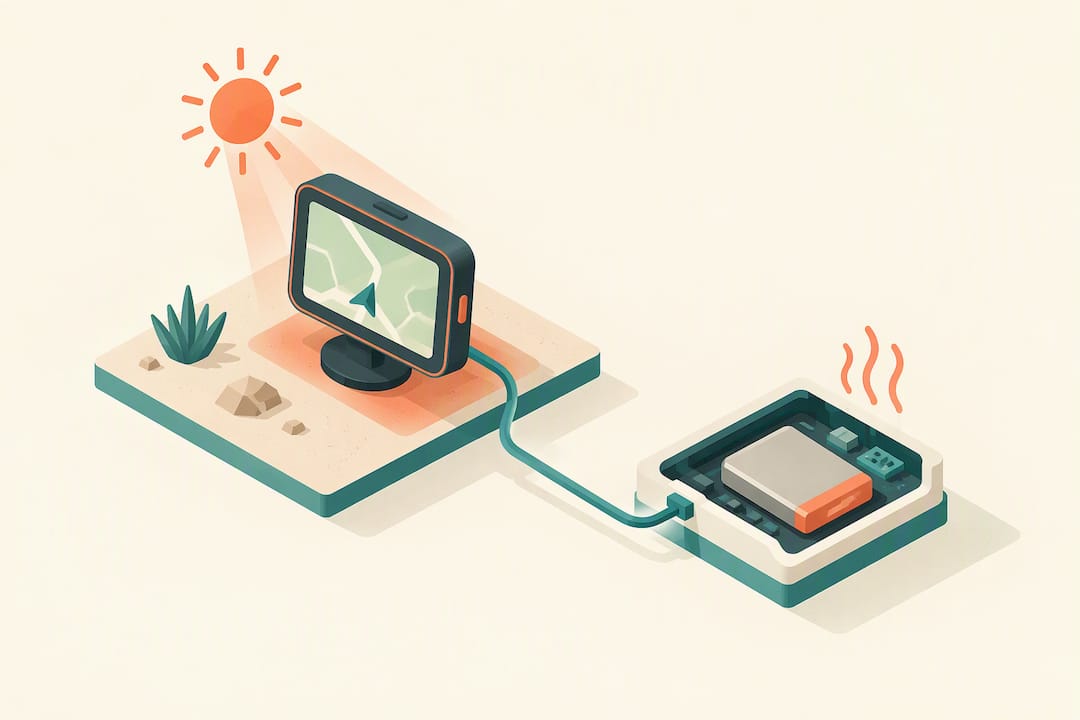
Hot Weather GPS Battery: 32°F to 95°F and Why GPS Gets Blamed
Heat can permanently shorten a lithium-ion battery’s lifespan and may force your phone or GPS tracker to pause charging or dim itself without warning. The moment you notice a device running hot, stop charging it, close power-hungry apps, and move it to shade or air conditioning until it cools. Manufacturer operating ranges are the safest guide for when it’s fine to keep using a device and when to back off.
TL;DR:
- Manufacturers generally list safe ambient temperatures of 32°F to 95°F (0°C to 35°C); above that, charging may pause, radios may weaken, and phones may shut down.
- Navigation heat usually comes from the bright screen, map rendering, cellular tile downloads, and charging together; the GPS receiver itself uses relatively little power.
- Preload offline maps, shade the device, lower brightness, and use USB C Power Delivery or an adapter rated at least 2.4A on long outings.
- LiFePO4 cells generally handle sustained heat better than lithium cobalt oxide cells, but thermal controls and housing design matter as much as chemistry.
- A dedicated tracker avoids competing phone apps and navigation workloads, but test your tracking and charging setup on a short trip before relying on it.
Kinwatchdog
Keep family tracking simple
Kin One keeps kids, pets, and parents on one map with real-time location updates and no ongoing subscription fees.
Table of Contents
- How heat affects phones, GPS trackers, and lithium-ion batteries
- Manufacturer operating ranges and built-in thermal protections you should expect
- Why GPS navigation often looks like the cause of overheating
- Immediate steps to take when your phone or tracker overheats
- Practical prevention: using GPS all day in hot weather without damaging the battery
- Best battery types and chemistries for heat resistance in GPS devices
- Design features of Kin One that mitigate overheating and battery drain in hot weather
- Tips for optimizing Kin One battery life in hot weather
- Differences in battery performance between Kin One and typical GPS trackers in high heat
- Publisher perspective: convenience versus reliable tracking in the heat
- An alternative: a dedicated family GPS tracker for hot weather outings
- FAQ
- Sources
How heat affects phones, GPS trackers, and lithium-ion batteries
Lithium-ion cells age faster in heat. High ambient temperatures speed up the chemical reactions inside the battery that break down its capacity over time, so a phone or tracker that regularly runs hot will hold less charge months down the road than one kept cool, according to Apple’s guidance on temperature and battery health. This degradation is cumulative and largely permanent: once a battery’s capacity drops from repeated heat exposure, it doesn’t recover when the weather cools off.
To prevent damage, devices build in safety behaviors that kick in before things get dangerous:
- Charging slows down or pauses entirely when internal temperature climbs too high.
- CPU performance and background features get throttled to cut heat generation.
- Screen brightness may dim automatically, and some radios can be limited.
Google describes this as part of normal thermal protection on Pixel phones, noting that a warm device may reduce charging speed, disable the flash or camera, cut mobile data and Wi-Fi, and eventually shut down until it cools.
A device doesn’t need to be in direct sun to overheat. Running GPS navigation already combines several heat sources at once: a bright display fighting sunlight, the processor rendering live maps, cellular data pulling in map tiles, and often a charging cable feeding power in at the same time. Any one of these generates heat on its own. Stacked together during a long drive or hike, they push internal temperature up fast, which is why navigation often gets blamed for overheating that several factors caused together.
Manufacturer operating ranges and built-in thermal protections you should expect
Phone makers publish specific temperature ranges for a reason: operating outside them accelerates wear and can trigger automatic limits. Most manufacturers list roughly 32°F to 95°F (0°C to 35°C) as the safe ambient range for phones and battery packs, a figure confirmed by both Apple’s temperature guidance and Samsung’s battery pack safety advice. Push a device above that range, especially while charging or running GPS, and you’re in territory where protective systems take over.
Expect to see one or more of these responses when a device runs warm:
- Charging slows noticeably or stops until the device cools.
- Camera flash and certain camera features get disabled temporarily.
- Mobile data, Wi-Fi, or 5G get reduced or dropped.
- The device enters a low-power mode and warns you on screen.
- In extreme cases, the device shuts down entirely until it cools.
These aren’t malfunctions. A paused charge or a dimmed screen in the heat is usually the device protecting its own battery health rather than a sign of a hardware fault, as both Apple and Google’s Pixel support documentation explain. The right response is to let the protection do its job: back off, cool down, and resume once temperatures normalize.
Why GPS navigation often looks like the cause of overheating
Navigation gets blamed for overheating constantly, but the real story is usually a combination of factors rather than the GPS function itself. A few scenarios cause most of the trouble:
- Direct sunlight or a parked car. Solar radiation can raise a device’s internal temperature well beyond what the ambient air temperature suggests, and testing on GPS hardware in a desert environment found that direct solar exposure was the single greatest heat threat, outweighing forecast air temperature. A phone mounted on a dashboard in full sun heats up far faster than one in a shaded pocket at the same outdoor temperature.
- Screen and data use, not the GPS chip. The GPS receiver itself draws relatively little power. The bigger drains during navigation are the screen running at high brightness to stay visible outdoors, continuous map rendering, and streaming map tiles over a cellular connection, a pattern confirmed by practical testing on motorcycle navigation setups.
- Charging while navigating. Running navigation and charging simultaneously can generate heat faster than a weak charger can offset it. A hardwired feed with proper current output, or a Power Delivery source, keeps pace better than a low-output accessory port, according to the same motorcycle navigation testing and Samsung’s charging guidance.
Immediate steps to take when your phone or tracker overheats
When you notice a device feels hot or shows a warning, work through these steps in order:
- Stop charging and close heavy apps. Disconnect the charging cable and exit navigation or any app pulling data continuously, which is the fastest way to cut the heat sources you control, per Google’s Pixel overheating guidance.
- Move it somewhere cooler. Shade or air conditioning beats ambient outdoor air, and removing a case that traps heat speeds up cooling, as recommended in Apple’s overheating support page.
- If you’re driving, pull over first. Handle the device only once you’ve stopped safely. If overheating keeps happening on the same route or the device shows swelling or smoke, stop using it and contact manufacturer support.
- Watch for thermal messages when you plug back in. A message like “Charging On Hold” means the thermal protection system is working as intended, not failing.
Pro Tip: Let a hot device cool in the shade before charging again; plugging it in while it’s still warm may restart thermal limiting.
Practical prevention: using GPS all day in hot weather without damaging the battery
A little planning before a long drive or hike prevents most heat problems before they start.
- Download offline maps in advance. Preloaded maps stop the constant tile-streaming that keeps the radio and processor working, a tactic confirmed to cut both battery drain and heat in motorcycle navigation testing.
- Lower brightness and lean on voice turns. A dimmer screen and voice-guided navigation reduce the single biggest power draw during a trip.
- Mount the device out of direct sun. A ventilated, shaded mount beats a dashboard baking in full sunlight. The desert GPS testing mentioned earlier found that passive cooling measures like reflective covers and hoods meaningfully reduced solar heating. Never leave a device sitting in a parked car in direct sun.
- Use a power source that can keep up. A hardwired USB-C Power Delivery feed or a 2.4A-plus adapter handles the load better than a weak accessory port, which can leave a device charging slowly while still heating up.
Pro Tip: If you only need periodic check-ins rather than constant live navigation, switching that task to a separate tracker frees your phone from the heaviest heat-generating workload.
Best battery types and chemistries for heat resistance in GPS devices
Most consumer phones and GPS trackers use some form of lithium-ion chemistry, and no variant is immune to heat, but some handle it more gracefully than others. Lithium iron phosphate (LiFePO4) cells tend to tolerate higher temperatures with less degradation than standard lithium cobalt oxide cells common in phones, which is one reason dedicated tracking hardware sometimes favors them over phone-style batteries. They’re also generally more stable under sustained heat, with a lower risk of the rapid capacity fade that hits a phone battery during a hot summer of heavy outdoor use.
That said, chemistry alone doesn’t solve the problem. Samsung’s own battery pack guidance points out that operating range and thermal controls matter as much as the cell chemistry itself: a well-managed standard lithium-ion battery with good thermal design can outperform a heat-tolerant chemistry that’s poorly protected. What matters most for a GPS device used outdoors is the combination of a reasonably heat-tolerant cell, sensible charging circuitry that slows down under heat rather than pushing through it, and a housing that doesn’t trap warmth against the battery.
For most families comparing devices, this means checking how a tracker is built to handle heat overall rather than chasing a specific battery spec. A device designed from the start for outdoor, all-day use tends to pair its battery chemistry with smarter charging behavior and better heat dissipation than a phone pressed into service as a tracker.
Design features of Kin One that mitigate overheating and battery drain in hot weather
Kin One is built as a dedicated GPS tracker rather than a general-purpose phone, which changes how it handles heat. Kin One is a dedicated GPS tracker rather than a general-purpose phone, so it serves a narrower purpose than a phone running live navigation. Its job is narrower: track location and send updates, without the processor load that a full smartphone carries.
That narrower focus means Kin One is designed for location tracking rather than general-purpose phone use. Kin One is designed for location tracking, whether carried by a family member or a pet.
Kin One also skips features like onboard cameras or audio monitoring, keeping the device focused on location tracking. Families can see the practical side of this design focus on the Kin One product page, where its role as a location tracker is described.
Tips for optimizing Kin One battery life in hot weather
A few habits can help protect a tracker in hot weather.
- Keep it out of direct sun when possible. Clip it under a jacket, in a backpack side pocket, or anywhere shaded rather than exposed on top of a bag in full sunlight.
- Avoid leaving it in a hot car. A parked vehicle in direct sun can reach temperatures well above the safe range for any lithium-ion device, tracker included.
- Charge it in a cool spot. Plug it in indoors or in shade rather than on a sunny windowsill or dashboard, which lets the charging circuitry work without fighting ambient heat.
- Check it periodically on very hot days to catch any issues early.
These are small adjustments, but they matter more on a tracker meant to run for extended stretches than on a phone you’re actively managing throughout the day.
Differences in battery performance between Kin One and typical GPS trackers in high heat
Many GPS trackers rely on cellular connectivity to maintain service, which can keep their radios and processors working during outdoor use. Kin One’s purchase model and data plan are described on the product page; connectivity and device workload can affect heat generation.
The bigger difference for most families comes down to what the device is asked to do. A phone-based tracking app competes with every other app on the phone for processor time and battery, and heats up accordingly during a hot afternoon outdoors. Kin One is a dedicated tracker for keeping track of kids, pets, and parents on one map. For families weighing a dedicated tracker’s battery life against a typical phone-based solution, our GPS tracker battery life guide and notes on long-battery tracker options lay out the trade-offs in more detail.
Publisher perspective: convenience versus reliable tracking in the heat
Here’s the uncomfortable truth: the setup most families default to, a phone running live navigation and location sharing, is also the setup most likely to overheat and drop updates exactly when the weather gets rough. Overheating is one of the most preventable causes of a missed location update, and prevention is cheap compared to the anxiety of a gap in coverage. Test your charging and tracking setup on a short trip before trusting it on a longer one.
— Louis
An alternative: a dedicated family GPS tracker for hot weather outings
If you’re tired of babysitting your phone’s temperature every time you plan a hike, road trip, or day at the park, a dedicated tracker takes that job off your hands. Offloading continuous location updates to purpose-built hardware means one less heat source competing for your phone’s battery and attention.
- One-time purchase, no monthly fees, with lifetime data included.
- One map for kids, pets, and parents, so you’re not juggling separate apps or trackers.
- Designed as a dedicated GPS tracker rather than adapted from a general-purpose phone.
We built Kin One as a way to keep an eye on the people and pets you care about. Specifications are on the Kin One product page.
FAQ
Does hot weather affect battery life?
Yes. High ambient temperatures accelerate the chemical breakdown inside lithium-ion batteries, which permanently reduces how much charge they can hold over time, according to Apple’s battery guidance. This effect is cumulative, so repeated hot-weather use adds up even if no single session causes visible damage.
Which GPS tracker has the longest battery life?
Battery life varies widely by device and how it’s used, since factors like screen use, connectivity type, and update frequency all play a role. Dedicated trackers built for a single task, rather than phones running multiple apps, tend to last longer between charges; our guide to GPS tracker battery life breaks down what drives the differences.
What are the best batteries for high temperatures?
Lithium iron phosphate (LiFePO4) cells generally tolerate heat better than standard lithium cobalt oxide batteries common in phones, with more stable performance under sustained warmth. Chemistry alone isn’t the whole picture, though: Samsung’s safety guidance notes that proper thermal management and charging controls matter just as much as the cell type.
What app kills the most battery?
Navigation apps tend to drain battery fastest because they combine a bright screen, constant map rendering, and ongoing cellular data transfer for map tiles, a combination confirmed in testing on motorcycle navigation setups. Pre-downloading offline maps and dimming the screen cut much of that drain.
Sources
- If your iPhone or iPad gets too hot or too cold - Apple Support
- 9to5google
- Managing the Effects of Heat, Dust, and Vibration on a GPS Receiver in a Desert Environment
- Motorcycle Navigation: Save Your Phone Battery