Family GPS Setup: 8 Steps, Test Before Hiding, $99 No Subscription
Eight steps to set up a family GPS tracker: charge, activate with IMEI, get an outdoor fix, run a short test drive, then hide it. $99 one-time.
Family GPS Setup: 8 Steps, Test Before Hiding, $99 No Subscription
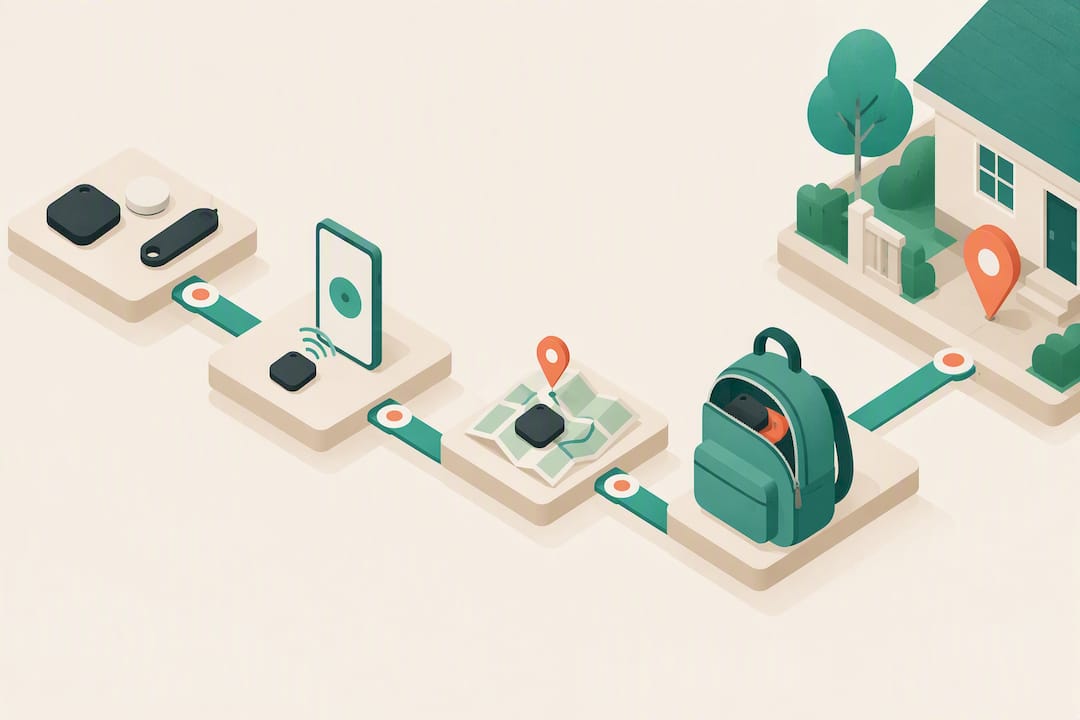
Charge the device fully, activate it with your account and IMEI, then carry it outside for its first satellite fix before pairing it with your phone. Run a short test walk or drive to confirm live movement shows up on the map. If you’re mounting in a vehicle, decide between an OBD port and a hardwired connection before you commit to a hiding spot, and don’t finalize placement until the app confirms it’s reporting.
TL;DR:
- Confirm the device is fully charged and the IMEI is entered correctly before outdoor activation to ensure a proper satellite lock.
- Use battery-powered trackers for short-term needs like trips, and opt for hardwired or OBD trackers for longer or vehicle use, matching the device to your timeline.
- Run a real test drive or walk outdoors after initial setup to verify the tracker updates accurately before hiding or mounting it permanently.
- Ensure you have verified your account and completed email verification to avoid activation delays or issues with device reporting.
- Obtain explicit consent from all tracking subjects, and use privacy controls to restrict access and delete history once tracking is no longer necessary.
Kinwatchdog
Keep Family Locations In One View
Kin One helps families monitor kids, pets, and parents on one map, with real-time updates and no ongoing subscription fees.
Table of Contents
- Prep and Checks Before You Configure Your GPS Tracker
- Which Tracker Type Fits Your Family’s Situation?
- How Do You Set Up a GPS Tracker Step by Step?
- Why Isn’t My GPS Tracker Working? (Fast Fixes)
- What Should Caregivers Know About Privacy Before Tracking Someone?
- What Actually Matters Once the Tracker Is Live?
- Where Kin One Fits Into This Setup Process
- Where to Learn More About Installation and Activation
- Sources
- FAQ
Prep and Checks Before You Configure Your GPS Tracker
Every failed setup traces back to a skipped step. Before you touch the activation screen, get these basics locked down.
Fully charge the tracker and check the SIM slot or built-in SIM for damage. Create your monitoring account and verify the email address, since most platforms won’t let you activate a device tied to an unverified login. Have the IMEI or serial number ready. It’s usually printed on the device or its box, and activation typically requires pairing that IMEI with an active data plan before anything reports.
- Grant location permissions, background app refresh, and notifications to the monitoring app on your phone.
- Set update intervals to a short testing window (30 to 60 seconds, or whatever “test mode” the platform offers) so you can confirm movement quickly.
- Confirm your phone’s operating system is current. Older app versions sometimes fail to recognize newer trackers.
- Keep the box and manual nearby. You’ll want the serial number again if anything goes sideways.
Skipping the email verification step is the single most common reason people get stuck on “pending activation” for hours.
Which Tracker Type Fits Your Family’s Situation?
The right device depends on what (or who) you’re tracking, not on which one has the flashiest app.
Battery packs are the most flexible option. They’re portable, need no wiring, and work well for pets, kids’ backpacks, or elderly relatives who carry a bag or keep a device clipped to a belt. The trade off is a charging schedule. Expect anywhere from a few days to a couple of weeks between charges depending on how often the device pings its location.
OBD-II trackers plug straight into a car’s diagnostic port, which makes them the fastest vehicle install by far, typically quick to complete. They’re also the most visible, since the port sits right under the steering column where anyone glancing down can spot them.
Hardwired trackers pull power directly from the vehicle’s electrical system, which means permanent, maintenance-free power for long-term monitoring. Installing one means running a wire behind the dash, and installation guides recommend professional help if you’re not comfortable working near a fuse box.
Magnetic asset trackers are built for trailers, boats, or outdoor equipment. Secure the mount firmly and check that the mounting surface doesn’t block the antenna’s view of the sky.
Pro Tip: Match the tracker to the shortest reasonable timeline. A battery unit for a two week camping trip beats a hardwired install you will have to rip out in September.
How Do You Set Up a GPS Tracker Step by Step?
This is the order that actually works, tested against the failure points most families hit.
- Charge the device completely. Many trackers need several hours for their first full charge, and a half charged battery is the top reason for a weak first satellite fix.
- Create your account and verify your login on the app or website before you try to activate the hardware. Activation calls fail more often when the account side isn’t finished first.
- Locate and enter the IMEI or serial number carefully. These strings run 15 or more digits, and a single transposed number will assign the wrong device.
- Activate the data plan or SIM according to the manufacturer’s instructions, and give it a few minutes to provision. Nothing reports until activation completes, even if the device powers on fine.
- Take the device outside and power it on. Stay clear of garages, parking structures, and anything with a metal roof. Expect the first satellite lock to take anywhere from 2 to 10 minutes, and watch for the LED to shift from blinking to solid, which usually signals a successful fix.
- Open the app and check the pin against your real location. If it’s close, you’re set. If it’s wildly off, the fix probably hasn’t finished yet.
- Run a short authorized test drive or walk. A brief test drive is one of the simplest, highest value checks you can run, and it confirms the tracker updates while moving instead of just sitting still.
- Set geofence and alert thresholds conservatively at first, then tighten them once you’ve seen how the device behaves over a normal day.
Most activation problems come down to one of three things: entering the IMEI wrong, trying to activate indoors, or skipping a step in the activation sequence. Catch those three and the rest of the process is mechanical.
Don’t mount the tracker permanently, hide it under a seat, or bury it in a pet’s collar until the app has confirmed reporting through at least one full test cycle. Installers who skip this verification step end up troubleshooting a hidden device later, which is far harder than fixing an exposed one.
Why Isn’t My GPS Tracker Working? (Fast Fixes)
Most tracker problems fall into five buckets, and nearly all of them have a two minute fix.
- No satellite lock: Move outdoors, away from garages and metal roofing, and let the device sit still for a few minutes before you give up. If it’s still stuck, take it for a short drive; movement often forces the lock.
- Default or wrong location showing: Double check that activation actually completed and that the IMEI you entered matches the device. Then give it a fresh cold start under open sky.
- SIM or provisioning delays: Check your account dashboard for a pending status and give it up to an hour. Restarting the device after that window often clears it.
- Device goes offline after working fine initially: Check the battery level first, confirm your account status is active, then restart the unit.
- App won’t show the device at all: Update the app, log out and back in, and re-enter the IMEI or rescan the QR code exactly as the manual describes.
Pro Tip: Write the IMEI down somewhere other than the box. If the box gets tossed before you finish setup, you’re stuck hunting for tiny print on the device itself.
What Should Caregivers Know About Privacy Before Tracking Someone?
Tracking a device is simple. Tracking a person carries real obligations you need to handle upfront.
Get explicit consent from anyone capable of giving it, including a spouse, teenager, or aging parent who’s still cognitively able to agree. Tracking another adult without their knowledge isn’t just an ethical gray area. It can carry legal consequences that vary by state, so don’t treat consent as optional paperwork.
Once consent is settled, use the app’s privacy controls. Restrict who can view the map, require authentication on the account, and delete route history when you no longer need it. Follow the manufacturer’s safety warnings on installation, too. Mounting checklists warn against placing hardware anywhere near wiring or moving parts, because a rushed install can create a real safety hazard, not just a tracking inconvenience.
What Actually Matters Once the Tracker Is Live?
Most setup guides obsess over the technical steps and skip the part that actually determines whether a family sticks with tracking long term: what happens after the green light comes on.
Here’s what gets underestimated. The test drive isn’t a formality. It’s the single step that separates a tracker that works from one that looks like it works. A device can show a plausible pin on a map and still be lying to you if it never refreshes. Confirming movement before you hide the unit in a backpack or bolt it under a dashboard saves hours of troubleshooting later, and it’s the difference between trusting the dot on your screen and just hoping it’s right.
Families researching options like Kin One are usually drawn to the no-subscription structure, and that’s a legitimate reason to prefer it. But the setup discipline matters regardless of which device you buy. Charge it, activate it correctly, verify the fix outdoors, and run a real test before you trust it with something as important as a child’s location or a parent’s safety.
— Louis
Where Kin One Fits Into This Setup Process
Kin One follows the exact activation sequence covered above: charge, activate with your account and IMEI, take it outside for the first fix, then pair it with the app and confirm reporting before you finalize placement. Where it differs is the cost structure. Kin One is a one time purchase at $99, with no monthly fees and no recurring charges eating into a family’s budget over the years that follow.
The device brings kids, pets, and aging parents together on a single family map, along with arrival and departure alerts and privacy controls that let you delete route history or manage who sees what. Before you tuck it into a backpack or a glove box, run the same test drive covered in this guide. Check the Kin One product page for full specs and to see current availability ahead of launch.
Where to Learn More About Installation and Activation
For vehicle-specific mounting details, Geotab’s installation guide covers wiring and placement safety. For a broader install checklist, Blue Chameleon Tracking’s six-step guide is worth bookmarking.
Sources
- How to Activate a GPS Tracker in 5 Minutes (2026) – Logistimatics
- GPS tracker installation guide | Geotab
- GO Anywhere Asset Tracker installation guide — Geotab install guides
- How to Install a GPS Tracker in 6 Steps – Blue Chameleon Tracking
FAQ
How Long Does GPS Tracker Setup Usually Take?
Most setups take 15 to 30 minutes from unboxing to a confirmed first fix, assuming the device is charged and your account is already verified. The bulk of that time is waiting outdoors for the initial satellite lock, which can take 2 to 10 minutes.
Why Won’t My GPS Tracker Get a Satellite Fix?
The most common cause is trying to activate indoors, where a roof or garage blocks the signal. Move outside to open sky and give it several minutes; most activation failures trace back to this exact mistake or an incorrectly entered IMEI.
Does Kin One Require a Monthly Subscription?
No. Kin One is sold as a one-time $99 purchase with lifetime data and no recurring fees, according to the product page. That structure is the main reason families comparing tracker options tend to look at it closely.
Is It Legal to Track a Family Member’s Car or Phone?
It depends on consent and your state’s laws. Tracking a minor child you’re responsible for is generally accepted, but tracking another adult without their knowledge can carry legal risk, so get explicit permission first.
What’s the Best Way to Test a Tracker Before Hiding It?
Run a short authorized walk or drive after the first satellite fix and confirm the app shows real-time movement, not a frozen pin. Installers consistently recommend this test drive step before any permanent or hidden mounting.