Co Parents: Set Location Sharing With Dual Logins and COPPA Checks
Privacy first steps for co parents: set shared logins, test accuracy, and verify COPPA deletion controls. Includes a $99 tracker example.
Co Parents: Set Location Sharing With Dual Logins and COPPA Checks
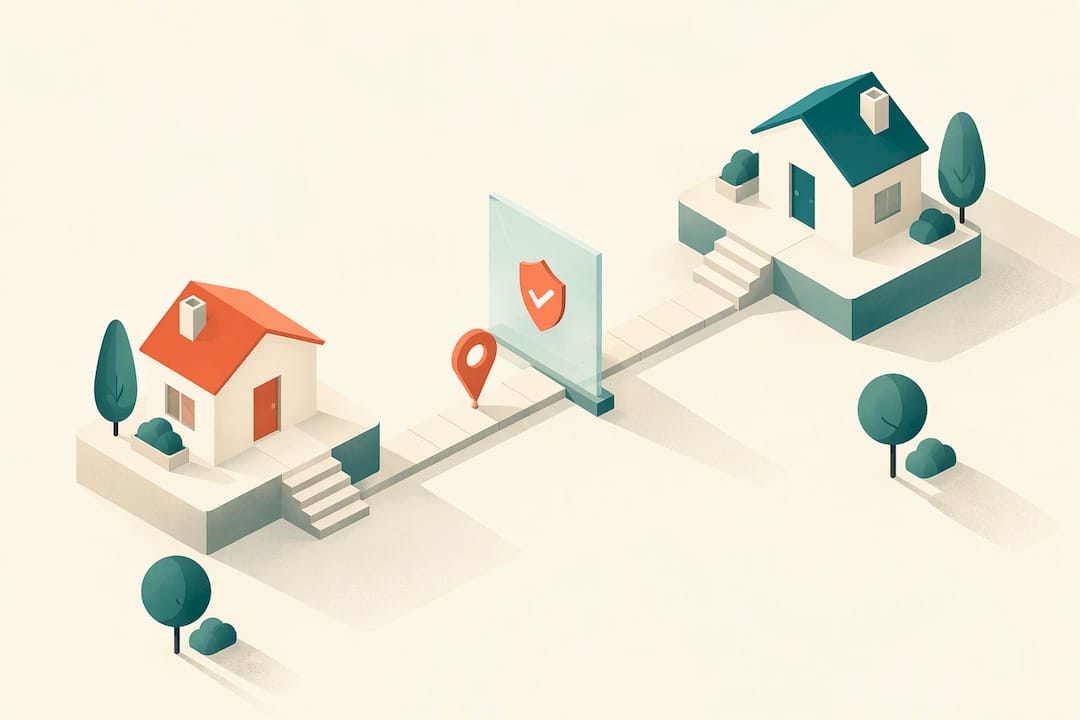
For most co-parents, a privacy-first GPS tracker or family app with shared account access is the most reliable way to track a child’s live location, not a smartwatch or a Bluetooth tag. Treat location sharing as a safety routine both households agree to, not a surveillance tool one parent controls. Devices built around the shared-account model typically have no hidden monitoring features to negotiate around.
TL;DR:
- A dedicated GPS tracker suits younger children moving between homes, while phone sharing works only if a tween reliably carries and charges a phone.
- For children under 13, companies collecting precise location data must provide parental notice and obtain verifiable consent before collection begins.
- Confirm both parents receive separate logins, check whether either can revoke access without notice, and verify that emergency alerts reach both households.
- Older Consumer Reports tests found update gaps of one to fifteen minutes and weaker indoor accuracy, so test the device at school and both homes.
- Before buying, ask whether route deletion reaches backups and whether location history can be exported; vague answers warrant a closer look.
Kinwatchdog
Keep Family Locations in One Place
Kin One puts kids, pets, and parents on one map with real-time updates and no ongoing subscription fees.
Table of Contents
- Which device type fits your co-parenting setup?
- What privacy rules apply to a child’s location data?
- What account and permission features actually matter
- How to test accuracy, update speed, and indoor performance
- Setting up sharing and writing a co-parent agreement
- Resolving disagreements over location sharing
- Legal considerations across jurisdictions
- Connecting trackers to co-parenting apps you already use
- Balancing safety and privacy as your child grows
- Talking to your child about being tracked
- Using trackers to build independence, not surveillance
- How Kin One fits into a co-parenting setup
- FAQ
- Sources
Which device type fits your co-parenting setup?
Before comparing brands, decide which device category matches how your child moves through the day. Each type trades accuracy, battery life, and privacy exposure differently.
- GPS trackers use cellular networks for outdoor accuracy and work well across long distances between two homes, though they depend on signal strength and battery charge.
- Bluetooth tags collect less data and sip battery, but they only work within a short range of a paired phone, making them weak for two-household custody schedules.
- Smartwatches combine GPS with calling and messaging, which is convenient but creates a larger privacy surface since they often collect voice, contacts, and app usage alongside location.
- Phone-based sharing through a map app works fine if your child reliably carries and charges a phone, but it fails the moment the phone is left behind or dies.
Younger kids who do not carry phones tend to do better with a dedicated GPS tracker clipped to a backpack. Tweens with phones can often get by with built-in location sharing, while families who want one map for multiple kids, pets, or aging parents usually need a purpose-built tracker rather than a patchwork of apps.
What privacy rules apply to a child’s location data?
Location data about a minor is not a casual data point. FTC guidance on COPPA treats precise geolocation, meaning coordinates or anything specific enough to identify a street and city, as personal information belonging to the child. Any company collecting that data from a child under 13 is required to give parents notice and get verifiable consent before collection starts, not after.
Consumer Reports comparison found that stronger tracking features generally come with more privacy exposure, so the right device matches your family’s actual sharing model rather than the longest feature list. Consumer Reports’ tracker comparison makes this tradeoff explicit when weighing Bluetooth tags against GPS trackers and smartwatches.
Before you commit to a device, confirm these points directly with the vendor:
- Does the privacy policy name geolocation specifically, or does it bury it under vague “usage data” language?
- Can you request full deletion of route history, and does that deletion reach backups, not just the live app view?
- Can you export your child’s location history, and does that export include persistent identifiers that could re-identify them later?
- Is consent collected once at setup, or can it be revisited and withdrawn without losing the account?
Vendors that cannot answer the deletion question plainly deserve a second look. The FTC’s enforcement action over Amazon’s Alexa voice data showed that a company can promise deletion while quietly retaining the underlying data, which is exactly the kind of gap a family tracker should not leave open.
What account and permission features actually matter
A tracker is only as useful for co-parenting as its account structure. A device that only one parent can log into defeats the purpose, no matter how accurate its GPS chip is.
- Confirm both parents can access the same live map simultaneously, under separate logins rather than one shared password.
- Check whether account recovery requires identity verification, and whether a support line exists if one parent loses access during a dispute.
- Ask explicitly whether either parent can revoke the other’s access unilaterally, and if so, what notice (if any) is given.
- Verify how emergency alerts route when the child is at the other parent’s home: does an SOS button notify both households, or only the account administrator?
Pro Tip: Before buying, ask the vendor in writing whether one parent can lock the other out of the shared map; get the answer before you need it.
Red flags are easy to spot once you know what to look for. Treat “vendor-only admin control” (where the company, not either parent, holds the master account) as a dealbreaker. The same goes for hidden third-party SDKs buried in the privacy policy, and deletion language that says data is “removed” without specifying from where. Consumer Reports specifically recommends evaluating multi-user permissions and revoke rules before purchase, since these governance details, not GPS accuracy, usually determine whether a tracker survives contact with a real custody schedule.
How to test accuracy, update speed, and indoor performance
A device’s marketing claim of “live” tracking rarely matches daily reality. Older Consumer Reports testing of personal GPS locators found that many devices update only every one to fifteen minutes and lose accuracy indoors, so a location marked as live can already be stale.
Run these checks before you rely on a device for custody handoffs:
- Time the gap between location updates during a school commute and compare it to the vendor’s stated interval.
- Test the device inside both homes and at school to see how much accuracy drops indoors versus outdoors.
- Set up a geofence around each home and confirm the alert actually fires when your child crosses it.
- Press the SOS or check-in button (if one exists) and time how long it takes both parents’ apps to receive the alert.
- Note how long it takes vendor support to respond to a question, since that responsiveness matters if something breaks during a custody exchange.
Agree as co-parents on what counts as a “stale” location (five minutes old, fifteen, an hour) so neither of you panics or assumes the worst when the map freezes.
Setting up sharing and writing a co-parent agreement
Getting the technology right is only half the job. The other half is agreeing, in writing, on how you will use it.
Setup steps:
- Create the account and add both parents as verified users on day one, not after a disagreement.
- Confirm emergency contacts on both sides so alerts reach whichever household needs them.
- Set up geofences for school, both homes, and any regular activity.
- Run the accuracy and update-speed tests above before you rely on the device for anything real.
- Decide and record your retention and deletion preferences inside the app settings.
Agreement checklist to copy into a shared document:
- Who can view live location, and whether that includes extended family or a new partner.
- When tracking is on (always, school hours only, or by mutual agreement).
- How deletion requests are made and confirmed.
- What happens during an SOS alert, including who calls whom first.
- A review date, every six or twelve months, to revisit settings as your child gets older.
Save a screenshot of the vendor’s deletion and privacy policy pages the day you set up the account. Policies change, and a dated screenshot protects both of you if a dispute arises later.
Resolving disagreements over location sharing
Most location-sharing conflicts come from unclear expectations, not bad intentions. One parent assumes tracking is constant and protective; the other feels it is monitoring rather than safety.
Start by separating the technical question from the emotional one. If a parent objects to tracking, ask specifically what worries them: being watched themselves, the child feeling untrusted, or doubts about where the data goes. Each concern has a different fix, whether that is a narrower geofence, a visibility schedule, or a plainer answer about data retention.
When disagreements escalate, put the agreement checklist back on the table rather than renegotiating from scratch. A written record of what you both agreed to when you first set up the account removes a lot of the guesswork about who changed what and when.
If a parent repeatedly disables tracking without notice, treat that as a conversation about trust and communication first, not a technology failure. Swapping devices rarely fixes a dispute rooted in differing expectations about privacy or control. When disagreements persist, a family mediator or the custody agreement itself, rather than the app’s settings menu, is usually the right venue to resolve it.
Legal considerations across jurisdictions
Location-sharing technology itself is not regulated the way custody arrangements are, but the data it collects falls under general privacy law, and those rules vary. In the United States, the FTC’s COPPA guidance sets the baseline for how companies must handle a child’s precise geolocation, requiring notice and verifiable parental consent before collection.
What COPPA does not resolve is who, between two parents, has the right to track a shared child and under what custody terms. That question sits with family law, which differs by state and country, so a device’s technical permissions should never be assumed to override a custody order’s actual terms. If your custody agreement is silent on location monitoring, raising it explicitly with a family law professional is worth doing before a disagreement forces the issue.
Vendors that operate internationally also face different consent and data-transfer rules depending on where the child’s data is processed and stored. Asking a vendor plainly where data is hosted, and under which country’s privacy framework, is a reasonable question for any co-parent evaluating a device for long-term use.
Connecting trackers to co-parenting apps you already use
Many co-parents already rely on scheduling and messaging apps to manage custody exchanges, shared calendars, and expense splitting. A location tracker does not need to replace those tools, but it works best when it fits alongside them rather than adding a third app nobody checks.
Some families pair a tracker’s geofence alerts with their existing co-parenting calendar, treating an arrival notification at school as a casual confirmation that a handoff went smoothly. Others keep tracking data separate from communication apps entirely, preferring to discuss location questions directly rather than let an alert become the start of an argument.
Before assuming a tracker integrates with your scheduling app, check whether the vendor documents any direct integration. If none exists, a simple workaround, such as sharing a screenshot or a quick message when a geofence alert fires, often does the job without needing a technical connection between platforms.
Balancing safety and privacy as your child grows
Location sharing works best when it is calibrated to your child’s age and maturity rather than left on the same settings for years. A six-year-old’s tracker and a fourteen-year-old’s location sharing should not look identical.
A few practices help keep the balance honest:
- Revisit sharing settings at least once a year, and sooner if your child’s routine changes significantly.
- Narrow geofences and alert frequency as your child demonstrates independence, rather than tracking every movement indefinitely.
- Avoid using location history punitively; treating a check-in as a record kept against your child tends to erode the trust the device was meant to support.
- Keep both parents’ access equal so the tool never becomes a point of leverage between households.
The goal is a system that answers “are they safe” without becoming a constant surveillance log neither parent actually needs.
Talking to your child about being tracked
Kids notice when they are being tracked, and how you explain it shapes whether they see it as care or control. Frame the conversation around safety routines rather than monitoring: “this helps us know you got to school safely,” not “this is so we can check on you.”
Be honest about what the device does and does not do. A GPS tracker shows location, not conversations or activity, and saying so clearly avoids kids assuming it is listening in. For older kids and teens, involve them in the settings conversation directly, including when geofence alerts fire and who sees the history, rather than presenting it as a decision made entirely without them.
Revisit the conversation as your child gets older. What felt reasonable at age eight can feel invasive at thirteen, and asking your child how they feel about current settings, on a schedule rather than only when a conflict surfaces, keeps the tool aligned with trust instead of working against it.
Using trackers to build independence, not surveillance
I think the best use of a tracker is almost boring: a predictable check-in that both parents trust, not a tool either side checks obsessively. Some GPS trackers offer a one-time purchase with no monthly fees and a shared map built for more than one household, reflecting that philosophy well. A number of families have signed up ahead of certain product launches, indicating demand for simple handling. Whatever device you choose, revisit consent and your privacy settings regularly rather than setting them once and forgetting them.
— Louis
How Kin One fits into a co-parenting setup
Everything in this guide points toward the same requirements: a shared map both parents can access, clear privacy controls, and no recurring fee that turns into a point of contention later. Certain GPS trackers are designed around exactly that list.
- One upfront payment of $99 covers the device and lifetime data, with no monthly subscription to manage or dispute.
- Both parents can view the same live map, alongside family members, without a tangle of separate logins.
- Privacy controls sometimes include route deletion and user-managed visibility, so the checklist in this guide maps onto the settings you may find in such apps.
- Certain devices offer warranty coverage and support for multiple emergency contacts to suit family needs.
If the account-permission and privacy checklist above matches what you are looking for, the Kin One product page has full specs, warranty details, and the steps to order.
FAQ
Is it legal to track my child’s location without their consent?
Parents generally have the legal authority to track a minor child’s location, though the specifics depend on your custody agreement and local family law rather than the tracking technology itself. What is regulated separately is how companies handle a child’s geolocation data, which FTC COPPA guidance requires vendors to disclose and get parental consent for.
Can one co-parent block the other from seeing the shared location?
It depends entirely on the device’s account structure, which is why checking multi-user permissions before buying matters so much. Some trackers let any administrator revoke access unilaterally, while others are built around both parents holding equal, independent access to the same map.
How accurate is real-time GPS tracking for kids?
Accuracy depends on update intervals and indoor signal strength, and older Consumer Reports testing found many devices update only every one to fifteen minutes with reduced accuracy indoors. Testing a device along your child’s actual commute and inside both homes is the only reliable way to know what “live” means for your specific device.
What happens to my child’s location data if I delete the app?
That depends on the vendor’s specific deletion policy, and it is worth confirming in writing whether deletion also removes data from backups, not just the visible app history. The FTC’s enforcement action over Amazon’s retained Alexa data is a reminder that “deleted” and “removed from every system” are not always the same thing.
Do GPS trackers work without a monthly subscription?
Most GPS trackers on the market require an ongoing data plan to stay connected, which is one of the main costs families weigh when comparing devices. Some GPS trackers are built as a one-time purchase that includes lifetime data, so a single upfront cost covers the device without a recurring fee.
Sources
- Complying with COPPA: Frequently Asked Questions | Federal Trade Commission
- Should you track your child with a GPS tracker or smartwatch? | Consumer Reports